
An online invitation with RSVP does more than tell guests when and where an event is happening. It gives them a clear way to respond while the invitation is still in front of them.
That sounds simple, but it solves a surprisingly common problem. When RSVP lives separately from the invitation, responses end up scattered across text messages, emails, group chats, and conversations that are easy to forget. One guest says they are coming in a message. Another tells you in person. Someone else says “probably,” and a fourth person asks whether they can bring a guest. Before long, the host is managing attendance manually.
An online invitation with RSVP brings those steps together. Guests open the invitation, understand the event, choose whether they plan to attend, and submit the information the host actually needs.
For weddings, birthdays, baby showers, dinners, parties, and other events where headcount affects planning, that can make the entire experience easier for both sides.
What Is an Online Invitation With RSVP?
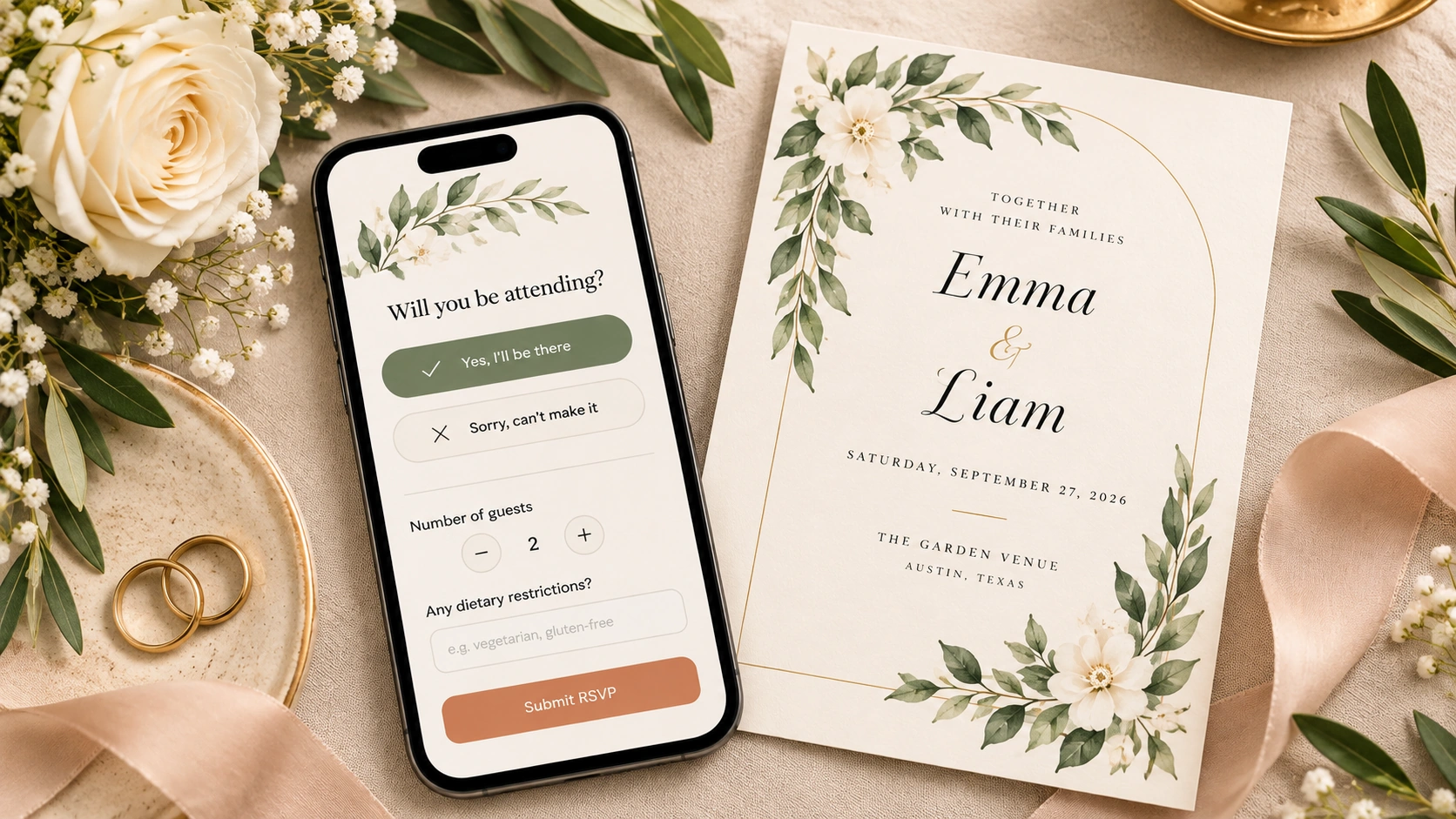
An online invitation with RSVP is a digital invitation that lets guests respond electronically instead of relying on a paper reply card or contacting the host separately.
The invitation itself can take many forms. It may be a simple digital card, an animated invitation, a video invitation, or a more interactive event experience. The RSVP layer is what turns the invitation from a piece of information into something guests can act on.
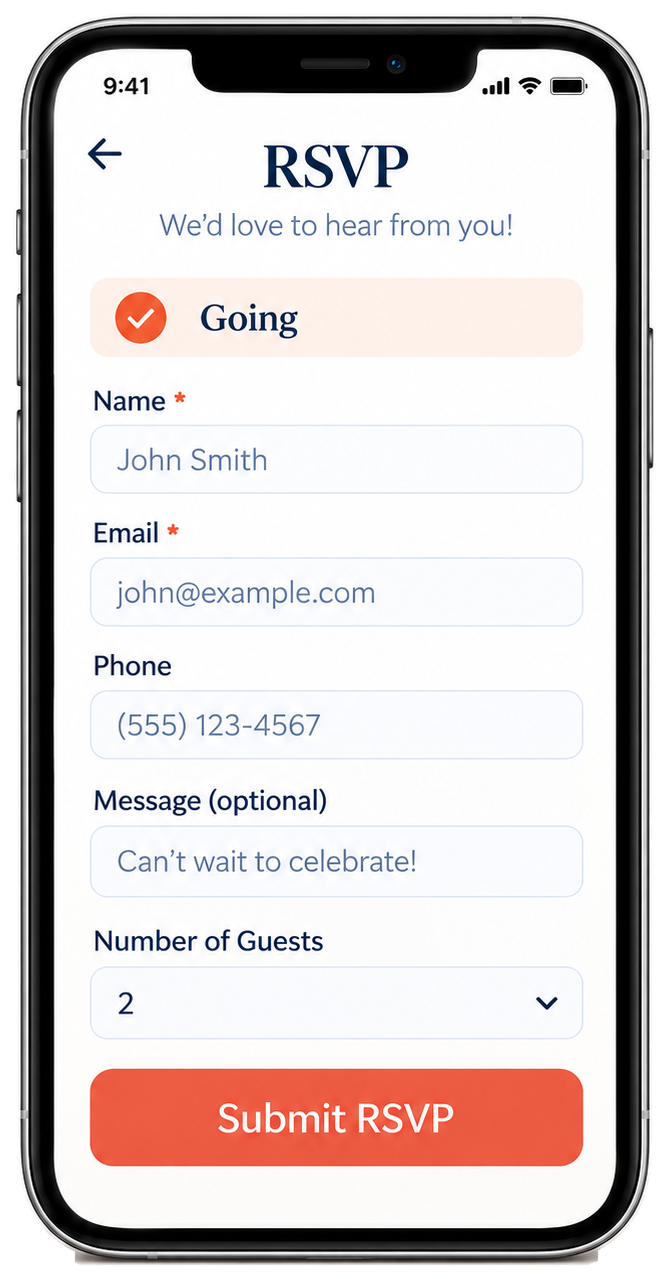
After opening the invitation, a guest may choose a response such as Going, Can’t make it, or Maybe. Depending on the event, they can then provide information such as their name, email address, phone number, number of guests, or an optional message.
The goal is not to make RSVP feel like filling out a complicated form. A good RSVP experience should feel like the natural next step after viewing the invitation.
If you want to see how that works in TwistInvite, explore the RSVP website.
How Does Online RSVP Work?
The process usually starts with a shareable invitation link.
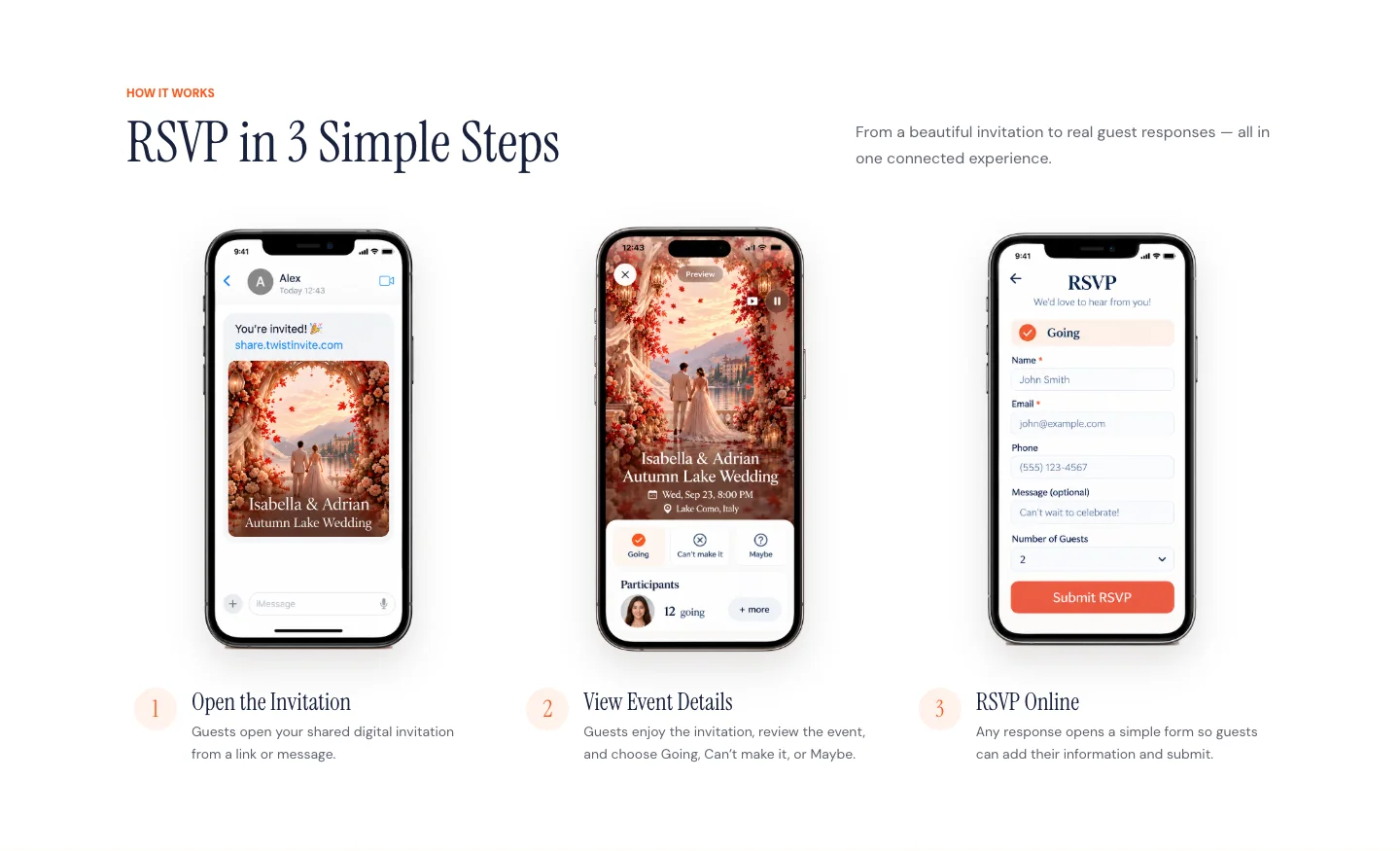
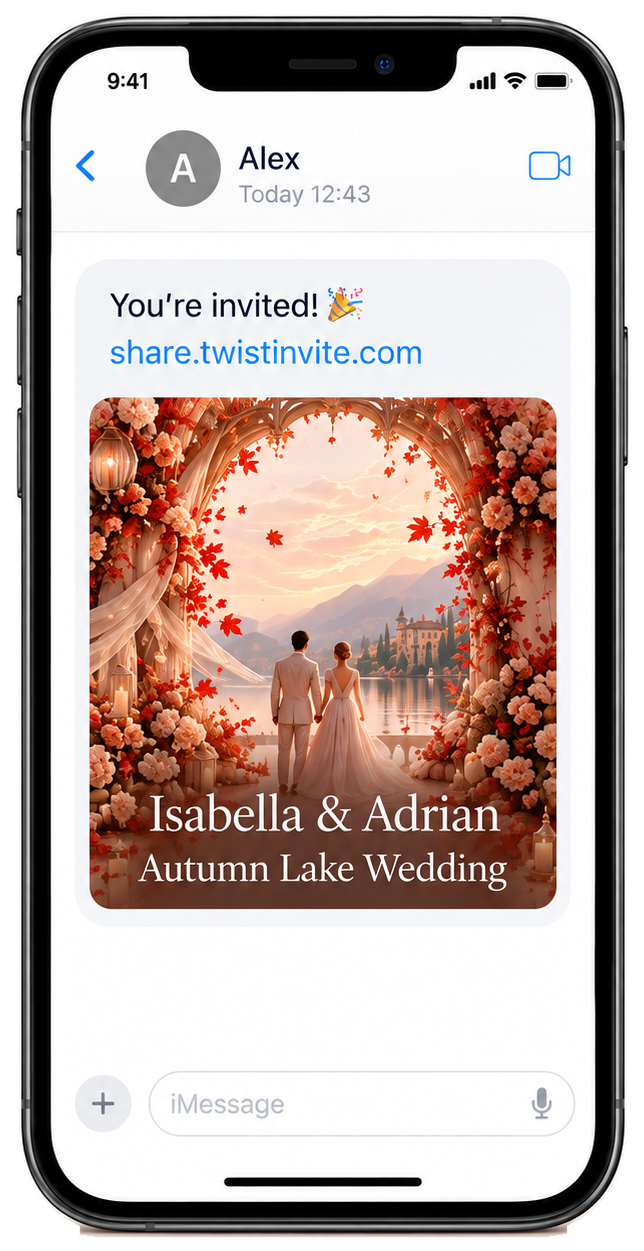
A host sends the invitation by text, email, WhatsApp, another messaging app, or another supported channel. The guest opens the invitation, views the event details, and sees a clear RSVP option.
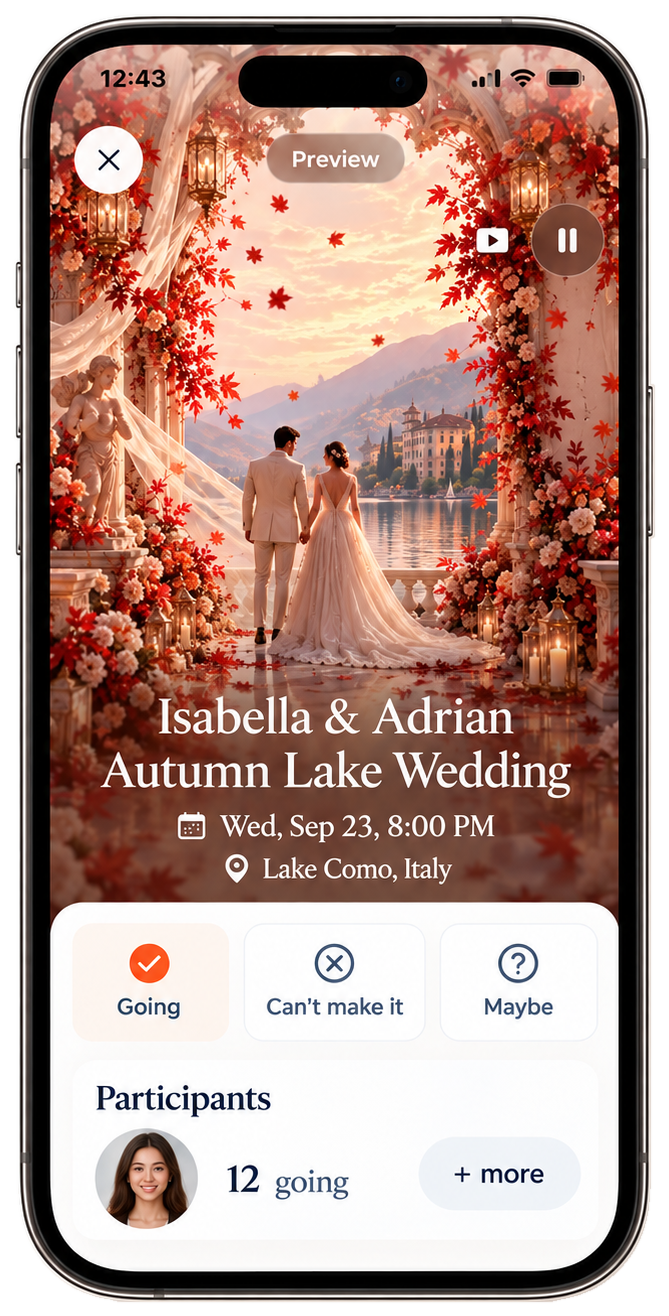
In TwistInvite, for example, guests can choose between Going, Can’t make it, and Maybe. Selecting one of those options then opens the RSVP form, where the guest can provide the required details before submitting the response.
That distinction matters. Choosing “Going” is not necessarily the final action. The response still needs to be associated with a person, which is why a short follow-up form is useful.
Open invitation → view event → choose response → submit RSVP
That is much more intuitive than asking guests to view the invitation first and then figure out where or how they are supposed to reply.
What Information Should an RSVP Form Collect?
An RSVP form should collect enough information to help the host plan the event, but not so much that guests postpone filling it out.
For many events, the essentials are simple. You need to know who is responding, whether they are attending, and how many people that response represents. Depending on the event, a phone number or short message may also be useful.
TwistInvite’s current RSVP flow can include Name and Email as required fields, plus Phone, Number of Guests, and an optional Message.
The message field gives guests space to leave a note for the host without turning the RSVP into a long survey. Number of Guests is useful when a single invitation may represent more than one attendee.
The general rule is straightforward: if you do not need the information to organize the event, do not ask for it. Long RSVP forms create unnecessary friction. A guest should be able to understand what is being asked and finish the response quickly.
Going, Maybe, or Can’t Make It?
For many social events, three response states are more realistic than a strict yes-or-no choice.
Going gives the host a clear positive response. Can’t make it confirms that the guest does not plan to attend. Maybe gives uncertain guests a way to respond without pretending they have already decided.
Whether “Maybe” is useful depends on the event. For a birthday party, casual dinner, or social gathering, it can be helpful because guests may genuinely be unsure when they first receive the invitation. For a wedding, catered event, or venue with strict capacity, the host may eventually need a firm final response.
The response options should match the type of planning you need to do. RSVP is not just a design feature; it is a tool for reducing uncertainty.
Why Use Online RSVP Instead of Collecting Replies Manually?
Manual RSVP works perfectly well when the event is tiny. If six friends are coming to dinner, a group chat may be all you need.
The problem starts when the guest list grows. Messages arrive in different places. Some people respond immediately, others wait, and some answer with phrases that are difficult to count: “I should be there,” “Probably two of us,” or “I’ll let you know.”
The host then has to translate all of that into an actual guest list. Online RSVP creates one clearer path. Guests know how to respond, and the host has a more structured picture of attendance.
It can also make the invitation feel more complete. Instead of sending a beautiful digital invitation and then writing “text me if you’re coming,” the response becomes part of the same experience.
Online Invitation With RSVP vs. RSVP Website
These phrases are closely related, but they emphasize slightly different things.
An online invitation with RSVP starts with the invitation. The guest receives an invitation experience and responds from there.
An RSVP website emphasizes the response side: a digital place where guests can view event information and submit their attendance.
In practice, the two can be combined. TwistInvite connects the invitation and RSVP experience rather than treating them as completely separate tools. A guest can open the invitation, experience the visual content, see the event information, and then respond.
If the RSVP part is what you care about most, explore the TwistInvite RSVP website. If the invitation itself is the main creative focus, start with the video invitation maker. If you want both in one link, see video invitations with RSVP.

Can You Send an Online RSVP Invitation by Text?
Yes. If the invitation is shared through a web link, text messaging is one of the simplest ways to deliver it.
For many events, that is more natural than email because guests already communicate with the host on their phones. The guest taps the link, opens the invitation, and responds from the same device.
The important part is not the channel itself. It is reducing friction. Before sending the invitation to everyone, test the full experience on a phone. Make sure the link opens correctly, the text is readable, the invitation loads as expected, and the RSVP controls are easy to find.
A polished invitation is not very useful if guests struggle to open it or cannot find the response option.
Do Guests Need an App to RSVP?
This depends on how the invitation platform works. Some RSVP experiences open directly in a browser, while others may use an app for certain parts of the workflow. What matters most is how many steps the guest has to complete.
The best way to judge any platform is to test it from the guest side. Open the invitation using the same link a guest would receive and see whether the response flow feels obvious.
With TwistInvite, guests can open the shared invitation link in their browser and submit an RSVP without installing the app or creating an account.
How to Make a Wedding Invitation With Online RSVP
Weddings are one of the clearest reasons to use online RSVP because the final guest count affects so many decisions: seating, catering, venue capacity, transportation, and other logistics.
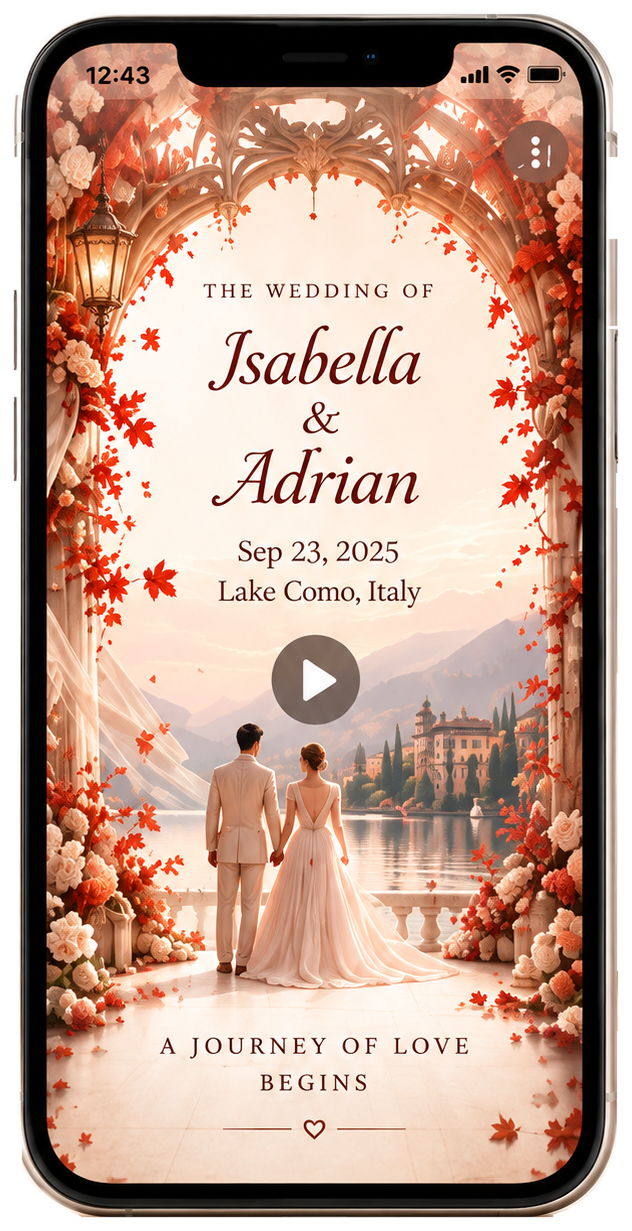
A digital wedding invitation should still begin with the basics. Guests need the couple’s names, wedding date, time, venue or location, and a clear RSVP expectation.
Instead of asking guests to read “RSVP by October 5” and remember to reply later through another channel, the response can happen while they are viewing the invitation.
This does not mean the invitation needs to look administrative. A wedding invitation can still feel romantic, cinematic, editorial, formal, or highly visual. The RSVP controls should support that experience rather than dominate it. The visual invitation creates the emotion; the RSVP interaction handles the practical part.
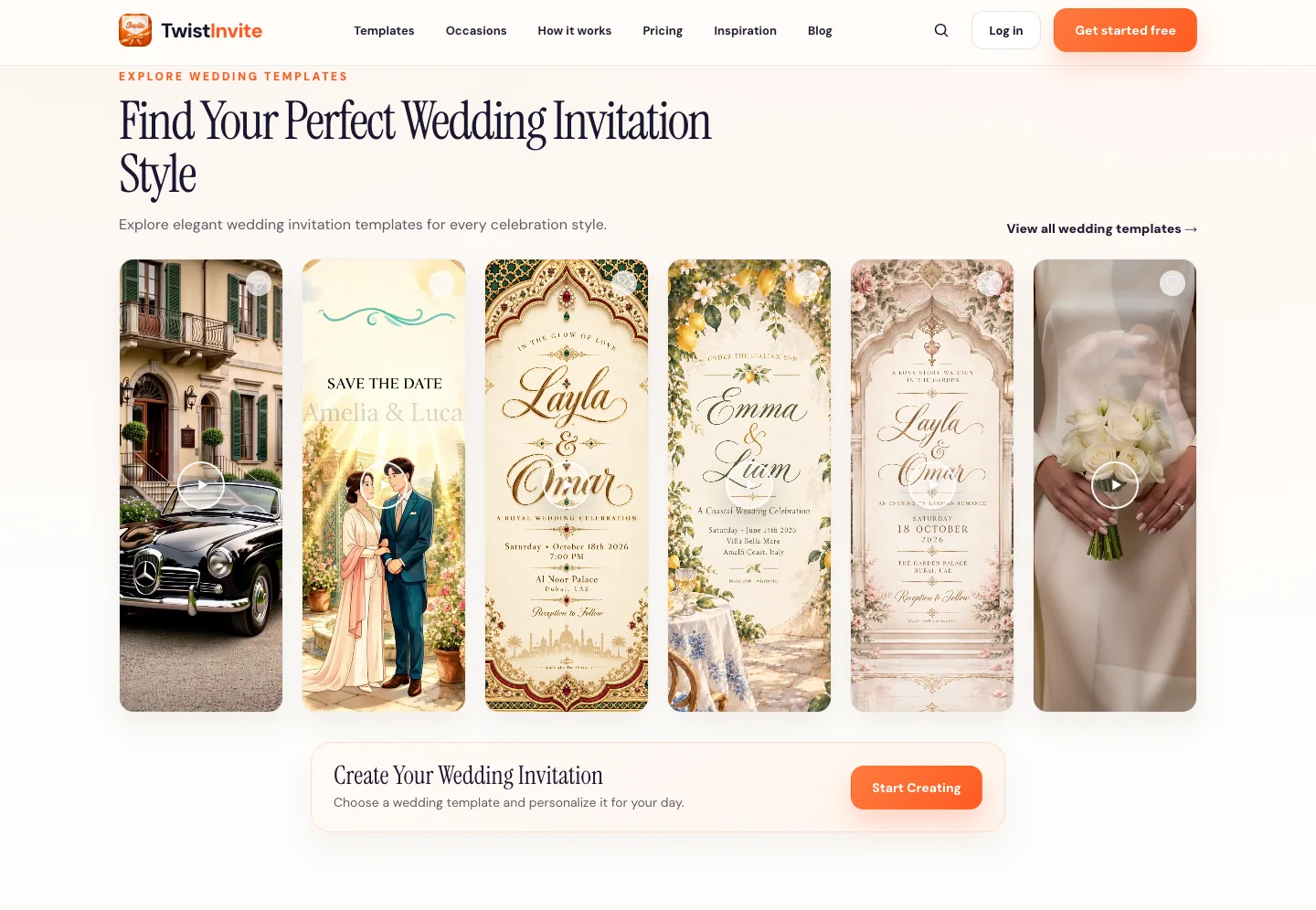
Browse TwistInvite wedding invitations for wedding-specific examples.
How to Make a Birthday Invitation With RSVP
Birthday RSVP is usually less formal, but it can still be extremely useful.
If you are booking a restaurant, reserving a venue, ordering food, preparing activities, or organizing a children’s party, headcount matters.
The invitation itself can be much more playful than a formal wedding invitation. A birthday might use colorful illustration, personal photographs, video, a themed world, a milestone concept, or a completely different visual style based on the person being celebrated.
The RSVP part does not need to change much. Guests should understand what the event is and have an obvious way to respond. That is especially useful for birthdays where parents, partners, or additional guests may be included in the response.
Browse digital birthday invitations for more examples.

What About Baby Showers and Parties?
The same structure works for many other events.
A baby shower invitation may feel soft, illustrated, floral, or storybook-inspired. RSVP helps the host understand how many people to prepare for without chasing individual messages.
A party invitation can be bolder and more experimental. It may not require formal guest management, but a quick Going / Maybe / Can’t make it response can still give the host a useful sense of turnout.
The RSVP system does not need a completely different design for every occasion. The invitation around it is what changes. That is one of the advantages of digital invitations: the visual experience can adapt to the event while the guest-response flow remains simple.
Free Online Invitations With RSVP: What Does “Free” Mean?
“Free online invitations with RSVP” can mean different things on different platforms.
One service may let you create an invitation for free but limit the number of guests. Another may offer free RSVP while charging for particular templates or design features. A third may be free to start but require payment once you reach a certain usage level.
The useful question is not simply whether the platform uses the word “free.” Instead, ask whether the free option covers the experience you actually need: the design, the sharing method, the guest count, RSVP, and any important media features.
TwistInvite is free to start, while paid usage or features may apply depending on how the product is used.
If you are still comparing options, read 8 Best Online Invitation Makers in 2026.
How Far in Advance Should You Ask Guests to RSVP?
There is no universal RSVP deadline that works for every event. The right date depends on when you need a reliable guest count.
A casual birthday may only need a relatively short response window. A wedding, catered dinner, destination event, or venue with limited capacity may require responses much earlier.
A better method is to work backward from the date when your venue, caterer, or other suppliers need final numbers. Then give yourself enough extra time to follow up with people who have not responded.
The RSVP deadline should support your planning process rather than follow an arbitrary rule.
What Makes a Good Online RSVP Experience?
A good RSVP experience should feel almost invisible.
Guests should not need instructions to understand where to click, what the response options mean, or what information they need to provide. The invitation itself can be visually rich. The RSVP interaction should usually be simple.
A clear hierarchy helps: first experience the invitation, then understand the event, then respond. That balance is particularly important on mobile, where guests may be opening the invitation from a text message and deciding whether to respond immediately.
If the guest has to hunt for the RSVP button, create an account unexpectedly, or fill out a long form, the process becomes much easier to postpone.
How to Create an Online Invitation With RSVP
If you are creating an invitation from scratch, start with the type of experience you want guests to have.
For a simple event, a static digital invitation may be enough. If mood and storytelling matter, animation or video can create a stronger first impression. Then add the essential event details and decide exactly what information you need from guests.
Once RSVP is connected, test the complete journey yourself. Open the invitation on a phone. View it as a guest. Choose each response option. Complete the form. Submit it. Then confirm that the response appears correctly for the host.
That final test is often more valuable than another round of visual tweaking because it reveals whether the experience actually works.
If you also need help creating the invitation itself, read How to Make a Digital Invitation Guests Actually Want to Open.

Frequently Asked Questions
What is an online invitation with RSVP?
An online invitation with RSVP is a digital invitation that lets guests view event information and submit their attendance response electronically. Depending on the platform, the RSVP may also collect details such as name, email, number of guests, phone number, or an optional message.
Can I make an online invitation with RSVP for free?
Yes. Some platforms offer free invitation creation, free RSVP, or a free starting tier. The limits vary, so check whether the option covers the design, guest count, sharing method, and RSVP features you need.
Can I send an online RSVP invitation by text?
Yes. If the invitation has a shareable link, it can usually be sent through text or another messaging service. Test the guest experience before sharing it with the full guest list.
What should I ask on an RSVP form?
Ask only for information you genuinely need. A simple form may include attendance status, name, email, number of guests, phone number, and an optional message.
Can I use online RSVP for a wedding?
Yes. Online RSVP is particularly useful for weddings because the guest count affects seating, catering, venue planning, and other logistics. Browse wedding invitations.
Can I use online RSVP for a birthday party?
Yes. Birthday RSVP can help when reservations, food, venue capacity, or activities depend on how many guests are coming. Browse digital birthday invitations.
Can a video invitation include RSVP?
Yes. A video-first invitation can be connected to an RSVP experience so guests can view the invitation and then submit their response. Explore the video invitation maker and RSVP website.
Is an RSVP website the same as an online invitation?
Not exactly. An RSVP website focuses on guest responses, while an online invitation focuses on presenting and sharing the event. Some platforms combine both into one guest experience.
Make It Easy for Guests to Respond
An invitation has two jobs: make people want to attend and make it obvious what they should do next.
Online RSVP connects those moments. Guests can open the invitation, understand the event, experience the visual design, and respond without switching to a completely separate process.
Explore the RSVP Website, Video Invitation Maker, Wedding Invitations, and Digital Birthday Invitations.
TwistInvite is free to start.
Create it in the TwistInvite app
Download free on iPhone or Android, then share one link with your guests.