
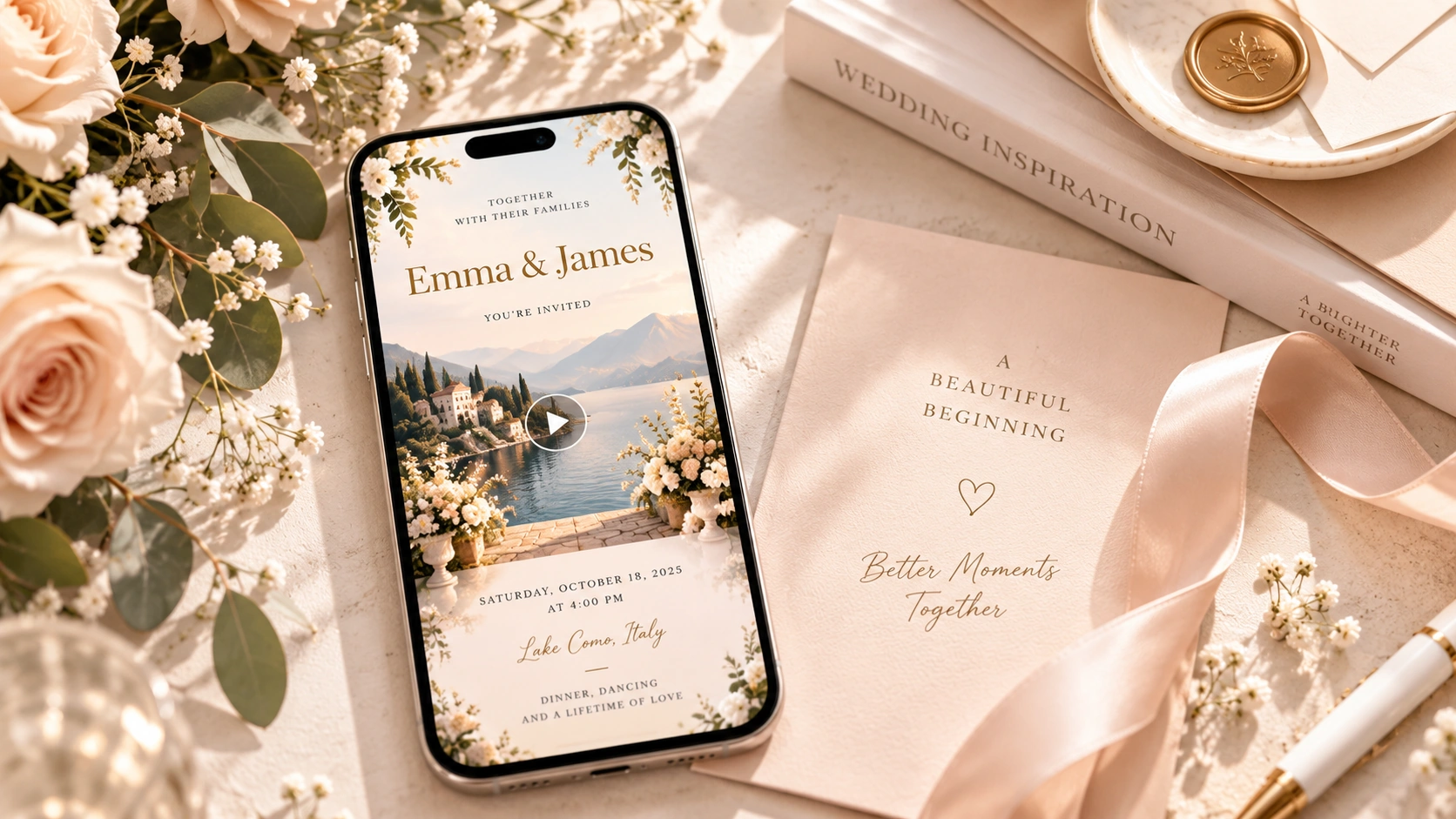
A digital invitation can be much more than a picture of a paper card. Today, online invitations can combine event details, photography, motion, video, and RSVP into an experience guests can open directly from their phones.
The best digital invitation is not necessarily the one with the most animation or the most elaborate design. It is the one that makes three things easy: understanding the event, feeling excited about it, and knowing what to do next.
For a casual dinner, that may mean a clean digital card with the date, time, and location. For a wedding or milestone birthday, it may mean something more immersive, using movement, photography, or video to introduce the atmosphere of the event before it begins. And when guest count matters, adding online RSVP can turn the invitation from a simple piece of content into a useful event tool.
The basic process is straightforward: choose the right invitation format, pick a design, add your event information, decide whether photos or video improve the experience, preview everything on mobile, add RSVP if needed, and share it with your guests.
What Is a Digital Invitation?
A digital invitation is an invitation created and shared electronically instead of being delivered only as a printed card. It might arrive through text message, email, WhatsApp, another messaging app, social media, or a shareable link.
The term is broad. A digital invitation can be a simple image that looks almost exactly like a traditional paper card, but it can also be animated, video-based, or connected to an online event experience where guests can view details and RSVP.
This is one reason “digital invitation” and “online invitation” are often used interchangeably. In practice, digital invitation is the broader category, while online invitation often refers to something guests access through a browser, link, email, or hosted event page.
For most hosts, the distinction matters less than the guest experience. The more useful question is: what should your guest be able to see and do after opening the invitation?
The Four Main Types of Digital Invitations
Digital invitations generally fall into four useful categories: static invitations, animated invitations, video invitations, and interactive invitations with RSVP. None is automatically better than the others; the right option depends on the event.
A static digital invitation is the closest equivalent to a traditional paper invitation. It usually presents the names, event type, date, time, location, and visual design in a single image or digital card. This works well for simple events where fast communication matters more than storytelling.
An animated invitation adds movement to a graphic design. Typography might appear gradually, illustrations may move, or decorative elements may animate while the essential event information remains simple and readable. This can make a design feel more polished without becoming a full video.
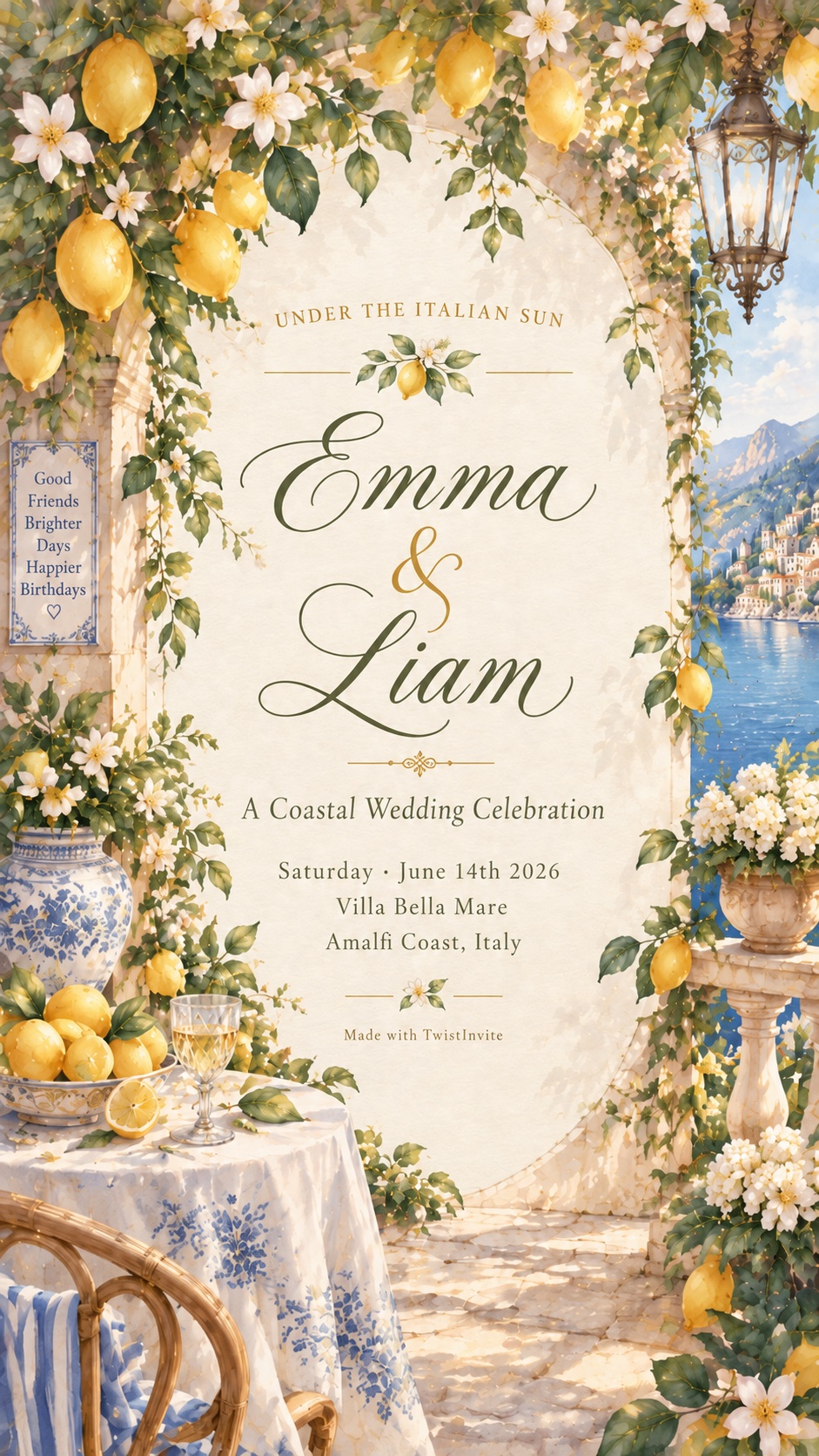
A video invitation goes further. It can use movement, footage, photographs, typography, transitions, and visual storytelling to create a more immersive first impression. Instead of simply seeing a card, the guest experiences the invitation over time.
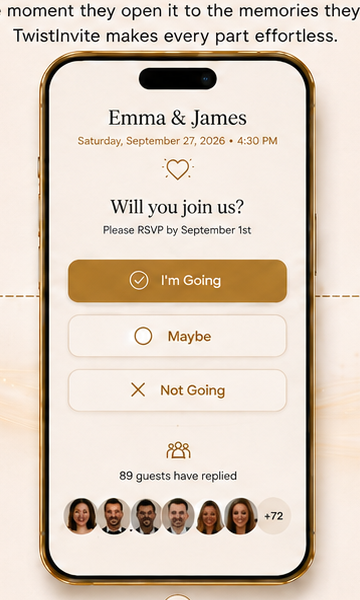
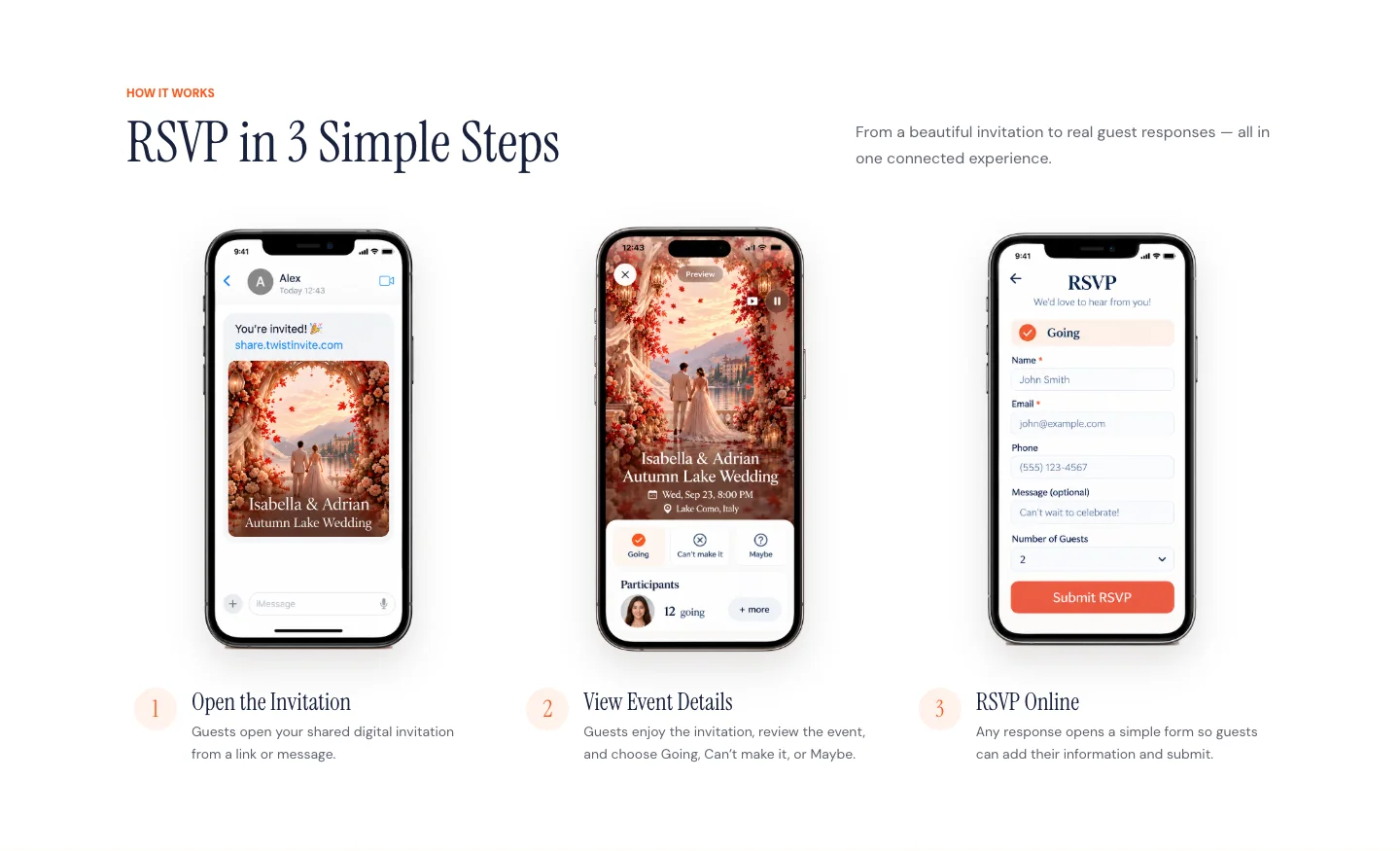
An interactive invitation with RSVP adds a practical layer. Guests can open the invitation, view the event, choose whether they are going, cannot attend, or are unsure, and submit their RSVP details online.
 Static Digital Invitation
 Animated Invitation
 Video Invitation
 Invitation With RSVP
How to Make a Digital Invitation in 7 Steps
Creating a digital invitation becomes much easier when you decide what the invitation needs to accomplish before you start designing it.
1. Decide What the Invitation Needs to Do
Start with function rather than decoration. Ask whether the invitation only needs to communicate the essential event information or whether it also needs to collect RSVP responses, establish a strong visual mood, include personal photos, or tell a short story.
A casual birthday dinner may only need a clear digital card. A destination wedding may benefit from scenery, motion, or video that introduces the location. A baby shower may work beautifully with illustration and subtle animation. A large event where headcount matters will usually benefit from online RSVP.
Making this decision first prevents a common mistake: choosing a visually impressive format that does not actually make the guest experience easier.
2. Choose a Digital Invitation Maker or Template
The next step is deciding how much control you want.
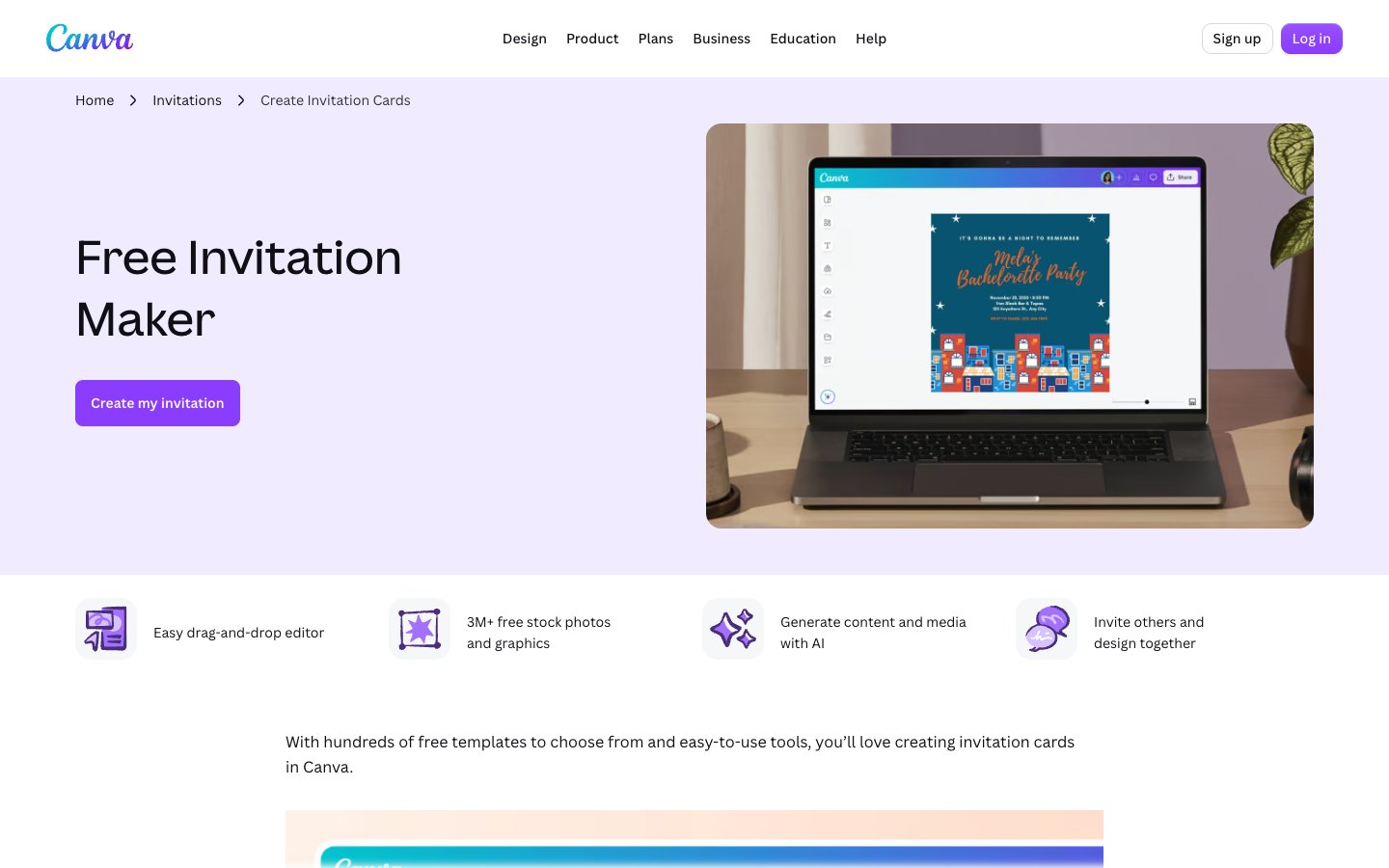
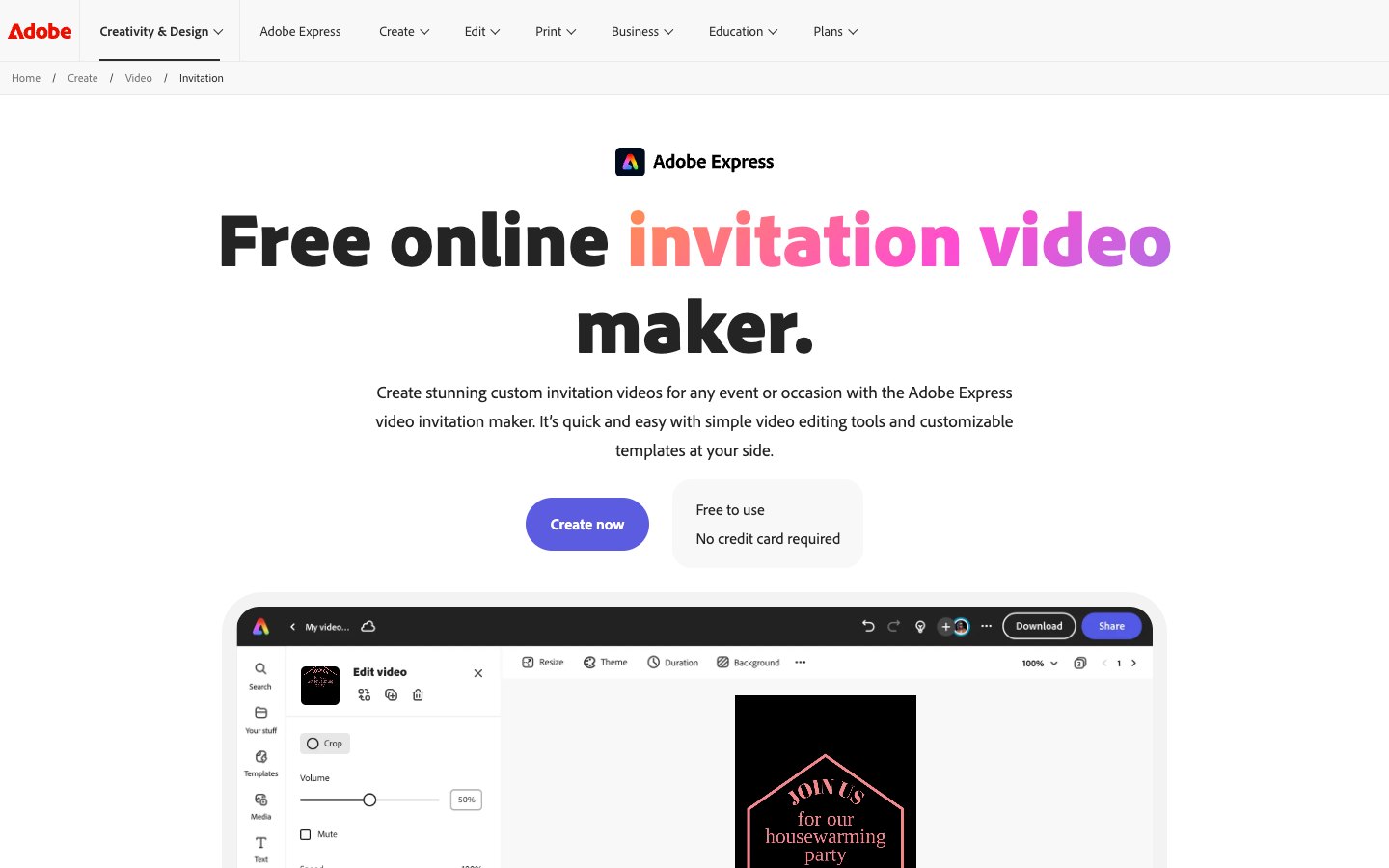
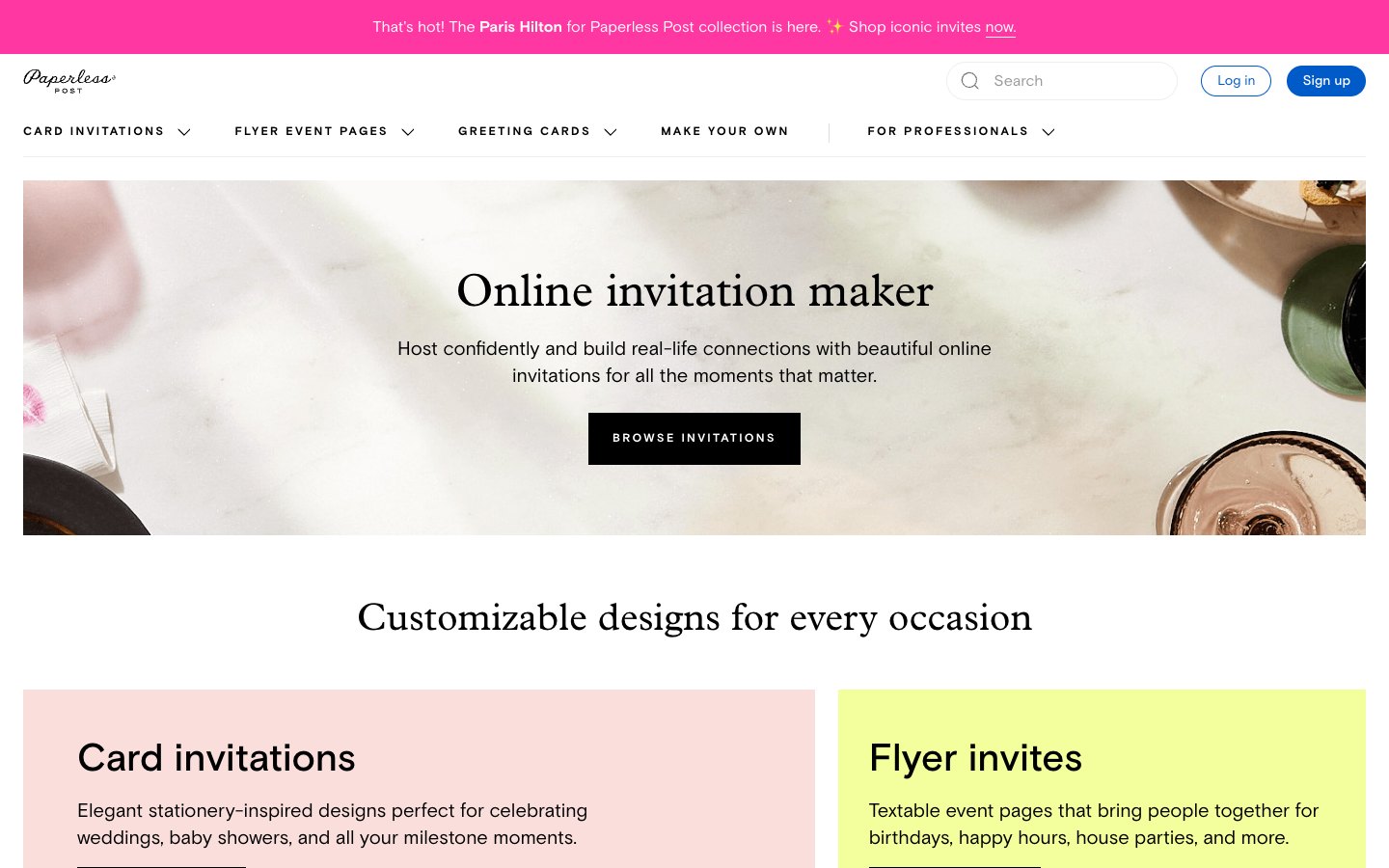
General design tools are useful when you want to adjust nearly every visual element yourself. Dedicated invitation platforms are usually better when you want a faster path from choosing a design to sharing the finished invitation and collecting responses.
When comparing platforms, look beyond the template gallery. Ask whether the platform supports the format you want, whether the invitation looks good on mobile, whether RSVP is built in, and how guests will receive it.
If you are still choosing a platform, see our comparison of the best online invitation makers.
3. Add the Essential Event Details
Every invitation should quickly answer the guest's basic questions: what is happening, who is being celebrated or hosting, when it happens, where it happens, and whether the guest needs to respond.
For many events, the essential information is surprisingly short. A birthday invitation might only need the celebrant's name, occasion, date, time, venue, and RSVP instruction. The goal is not to fit every possible detail into the main design.
Sophia's 30th Birthday
Saturday, October 17 · 7:00 PM
The Garden Room · Los Angeles
RSVP by October 5
That is usually more useful than covering a beautiful invitation with multiple paragraphs.
If the platform supports additional event information outside the main visual, use that space for secondary details rather than forcing everything onto the invitation itself.
4. Add Photos or Video Only When They Improve the Story
Photos and video can make a digital invitation feel personal, but more media does not automatically make the experience better.
For a wedding, a short cinematic clip or meaningful photograph may instantly establish the mood. A milestone birthday could use photographs from different years. A children's party may work better as an illustrated or animated world rather than relying on personal photos. A destination celebration can use scenery to help guests imagine where they are going.
The key is hierarchy. Guests should still understand the invitation after watching it once.
If the movement is beautiful but the date is impossible to read, the design is not doing its job.
How to Make a Video Invitation
A video invitation is useful when you want the invitation itself to create atmosphere rather than simply communicate information.
The first few seconds matter most. A strong opening might reveal a dramatic location, an elegant wedding scene, a birthday world, a meaningful photograph, or an animated object that immediately establishes the event.
After that, introduce information gradually. Avoid showing the event name, date, time, venue, RSVP message, and decorative text all at once. A simpler sequence is easier to understand:
Sophia's 30th Birthday.
Then the date and time.
Then the location.
Then a final invitation to join or RSVP.
This pacing makes the invitation feel more intentional while keeping it readable.
Because most guests will view the invitation from a phone, mobile design is especially important. Text should be large enough to read without zooming, essential information should stay away from the edges of the frame, and important details should not disappear too quickly.
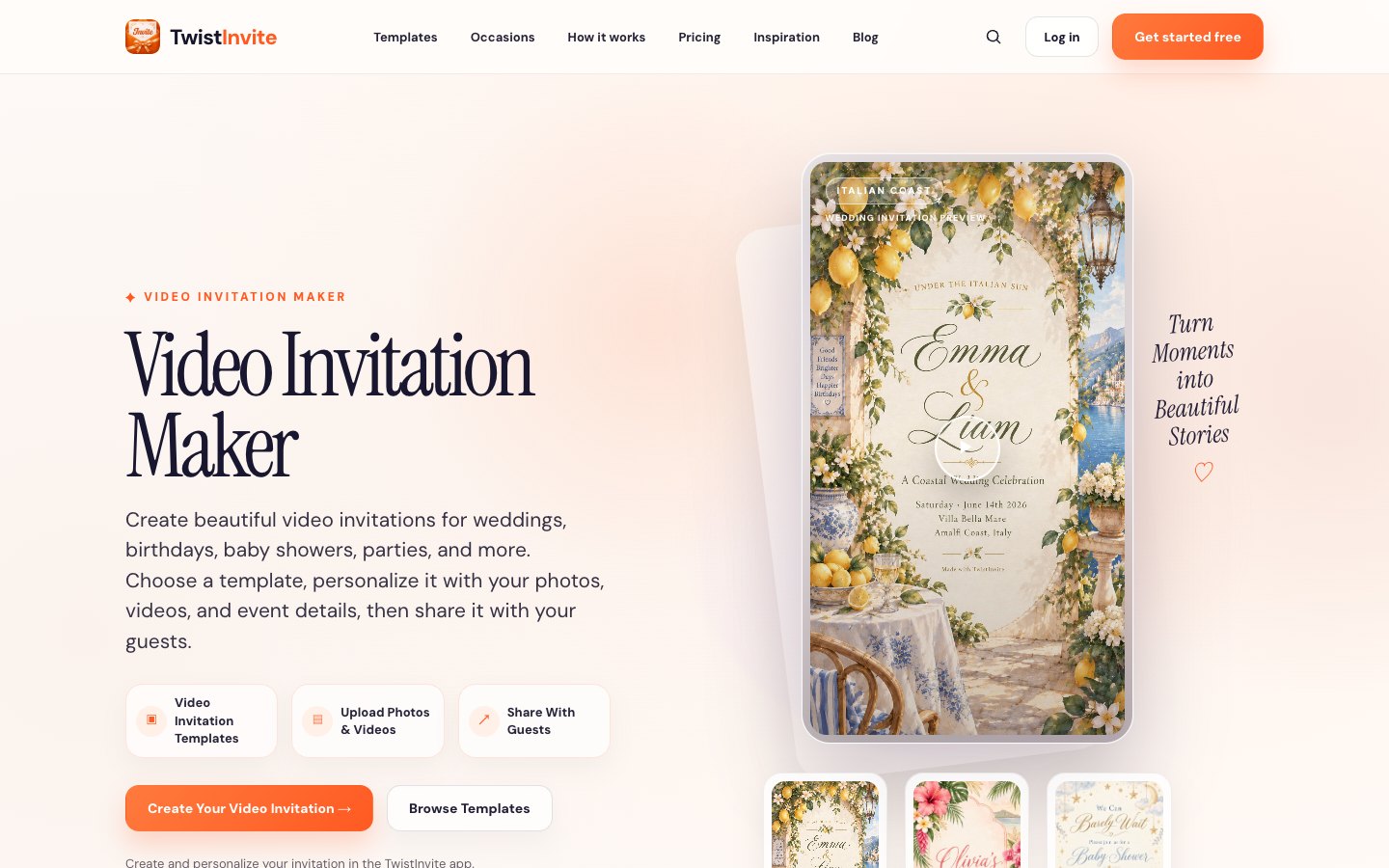
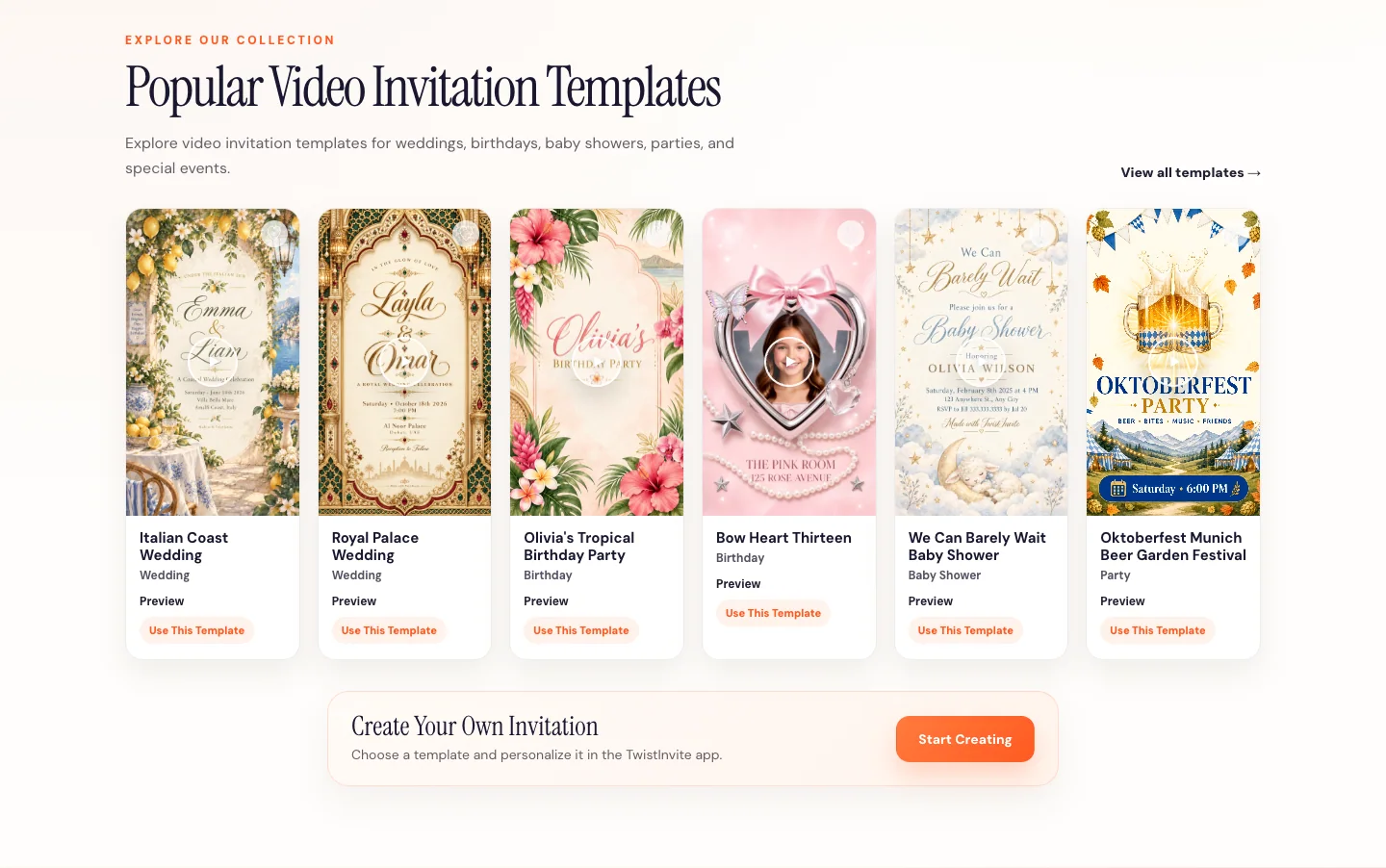
If you want to create this type of experience, explore the TwistInvite Video Invitation Maker.
How Long Should a Video Invitation Be?
There is no universal rule for video invitation length. The right duration is the shortest amount of time needed to establish the event, communicate the essential information, and create the intended mood without making guests wait.
A simple invitation can be very short. A more cinematic wedding or story-driven invitation may naturally take longer.
Clarity matters more than hitting a specific number of seconds. If a guest needs to replay the invitation several times just to find the date or location, the pacing is probably too complicated.
How to Add Online RSVP to a Digital Invitation
If you need an accurate guest count, online RSVP is one of the most useful advantages of a digital invitation.
Instead of sending the invitation and then collecting responses through separate messages, the RSVP flow can be connected directly to the invitation.
A typical experience looks like this:
Guest receives the invitation → opens it → views the event → chooses a response → completes the RSVP form.
In TwistInvite, guests can choose Going, Can't make it, or Maybe. After selecting a response, they can submit information such as their name and email, with additional fields including phone number, number of guests, and an optional message.
The host can then view the responses within the invitation experience.
For a closer look at the flow, read our guide to online invitations with RSVP, or explore the TwistInvite RSVP website.
What Information Should an RSVP Form Ask For?
The best RSVP form is usually shorter than hosts expect.
Ask for the information you actually need to organize the event. For many events, that means the guest's name, email, attendance status, number of guests, and possibly a phone number or optional message.
Every extra field creates friction. A casual birthday party probably does not need the same amount of information as a formal event.
The goal is to make the response easy enough that guests actually complete it.
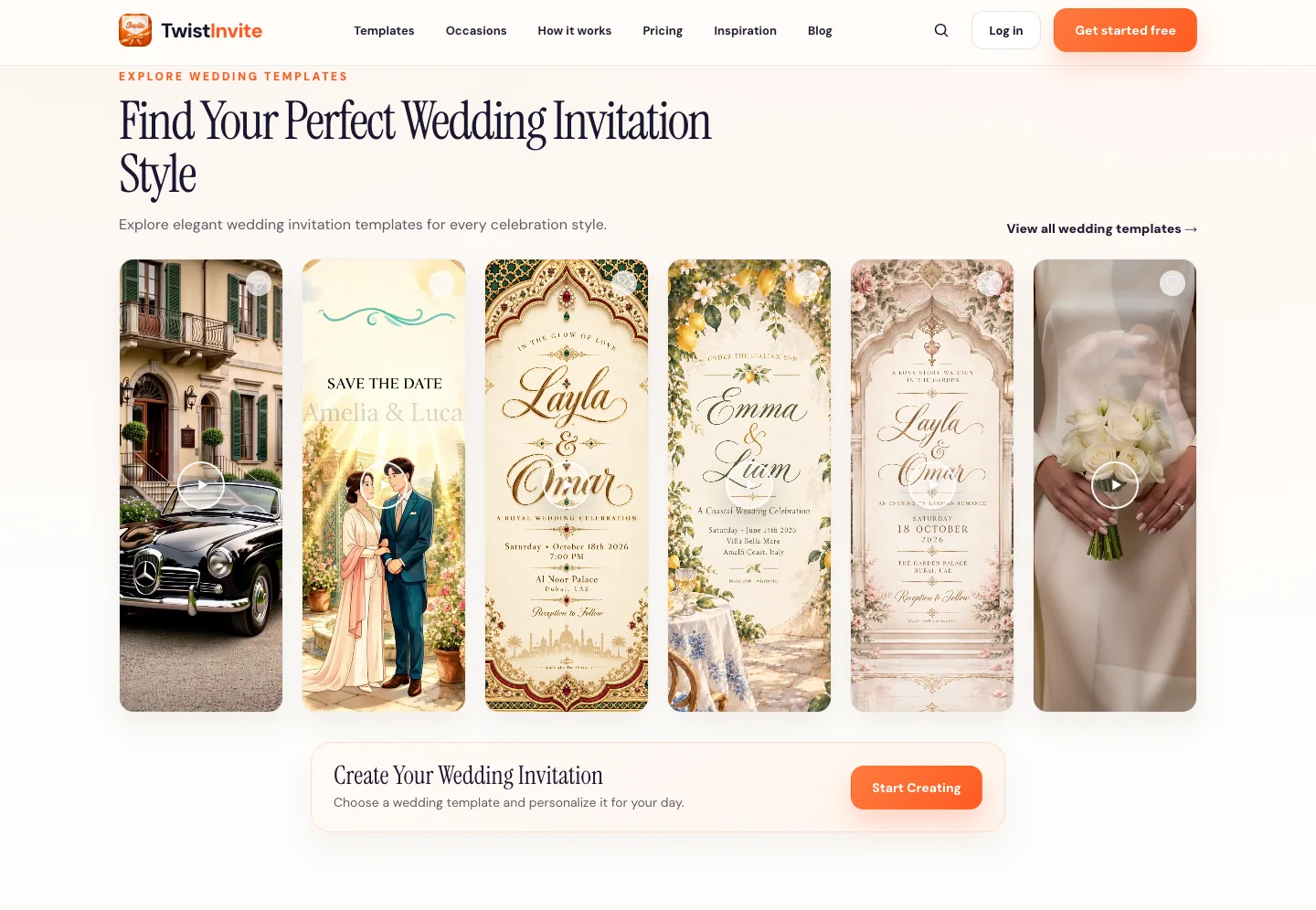
How to Make a Digital Wedding Invitation
Wedding invitations have to do two things at once: communicate practical details and establish the tone of the celebration.
Start with the essentials: the couple's names, wedding date, time, location, and RSVP information. Then choose a visual style that feels connected to the actual wedding rather than simply choosing the prettiest template.
A coastal wedding may feel light, open, and cinematic. A formal evening wedding may work better with deeper colors and editorial typography. A garden wedding might use natural movement and floral imagery. A destination wedding can let the landscape itself become part of the invitation.
Digital formats also make it possible to move beyond a traditional stationery layout. Couples who want something more immersive can use motion, photography, or video to introduce the atmosphere of the day.
Explore TwistInvite wedding invitations.
How to Make a Digital Birthday Invitation
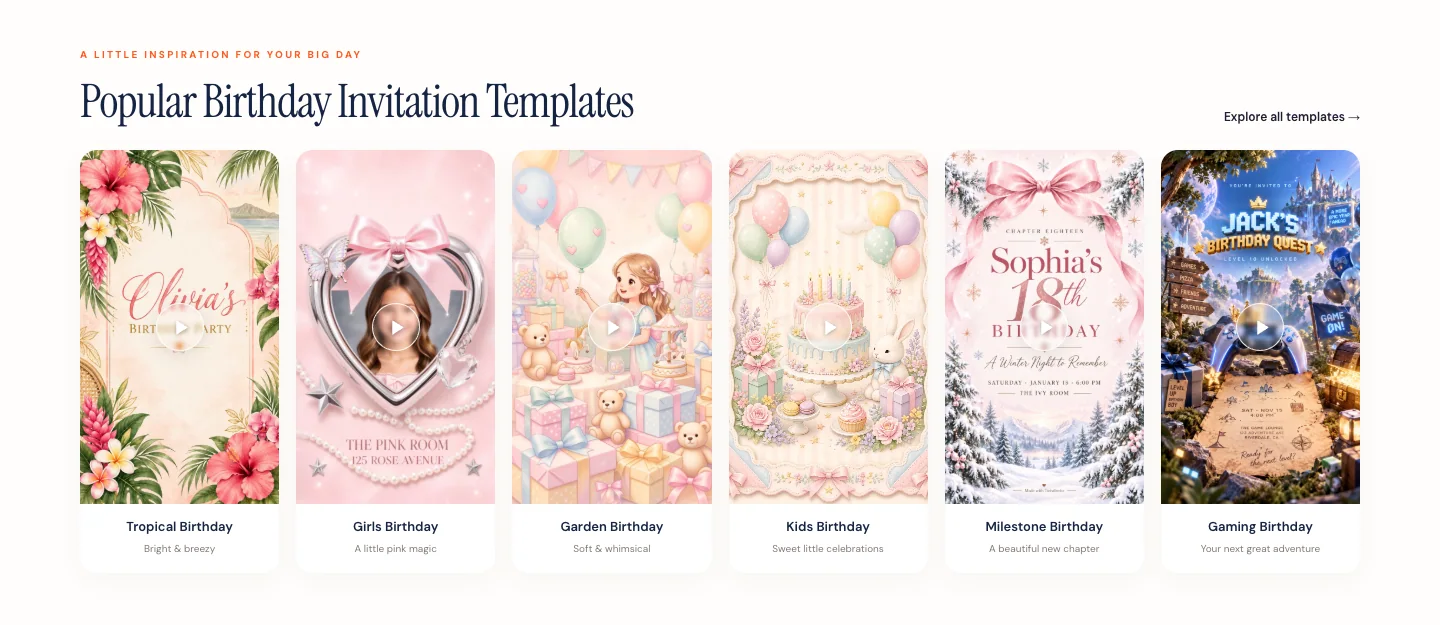
Birthday invitations usually allow more creative freedom than formal wedding invitations. The design can be shaped around age, personality, theme, hobbies, season, party location, or the mood of the event itself.
A children's birthday might become a fantasy or storybook world. An eighteenth or twenty-first birthday can feel more editorial and fashion-led. A milestone birthday could use personal photographs or video to make the invitation feel nostalgic. A dinner party can stay minimal, sophisticated, and simple.
The event details still need to remain clear, but the invitation has more room to feel playful.
Browse digital birthday invitations.
What Makes a Good Digital Invitation?
A good digital invitation is easy to understand, visually appropriate for the event, comfortable to view on a phone, and clear about what the guest should do next.
Those qualities matter more than how many effects the invitation contains.
The most successful invitation usually has a strong visual hierarchy. Guests notice the event first, then the important details, then the next action. Everything else supports that structure.
This is especially important with animated and video invitations because movement can easily compete with the information if it is not controlled.
Digital Invitation vs. Video Invitation
| Feature | Static Digital Invitation | Video Invitation |
|---|---|---|
| Event details | Yes | Yes |
| Motion | No | Yes |
| Photos | Yes | Yes |
| Video footage | No | Yes |
| Visual storytelling | Limited | Stronger |
| Fast to scan | Very easy | Depends on pacing |
| Best suited for | Simple communication | Events where atmosphere matters |
A static digital invitation is often the better option when speed and simplicity are the priorities. A video invitation becomes more useful when the host wants to establish emotion, atmosphere, storytelling, or a stronger visual identity.
Neither format is universally better. The event should determine the format rather than the other way around.
Digital Invitations vs. Printed Invitations
Printed invitations still have real advantages. They are physical, can feel formal, and may become keepsakes, especially for weddings or milestone events.
Digital invitations solve a different set of problems. They can be shared instantly, updated more easily, opened from a phone, and connected to video or online RSVP.
Many hosts do not need to choose only one. A wedding might use printed invitations for close family while sharing a digital version with a wider guest list. Another event may be entirely digital because that is how the guests already communicate.
The best choice depends on the event and the people receiving the invitation, not simply on whether digital or print is more modern.
Can You Make Digital Invitations for Free?
Yes. Many invitation tools offer free templates, free design features, or a free starting option, but “free” means different things on different platforms.
One platform may let you design for free but charge for premium assets. Another may offer free sending with guest limits. A third may include free RSVP but charge for additional features.
Before choosing a free invitation maker, check whether the free option includes the actual template you want, the sharing method you need, your expected guest count, RSVP, and any important media features.
TwistInvite is free to start, although paid usage or features may apply depending on how you use the product.
If price and platform choice are important, read our comparison of the best online invitation makers.
How Do You Send a Digital Invitation?
Once the invitation is finished, use the channel your guests are most likely to open.
That may be text message, email, WhatsApp, another messaging platform, or a shareable invitation link. The delivery method matters less than making the experience frictionless.
Before sending the invitation to everyone, test it yourself on a phone. Check whether it loads correctly, whether the text is readable, whether video plays as expected, whether RSVP works, and whether the event details are obvious.
That small test can prevent a surprising number of questions later.
Frequently Asked Questions
How do I make a digital invitation?
Choose the type of invitation you want, select a template or invitation maker, add your event information, customize the design, add photos or video if they improve the experience, preview it on mobile, add RSVP if needed, and share the finished invitation digitally.
How do I make an online invitation?
An online invitation can be created using an invitation platform or design tool and shared through a link, email, text message, or messaging app. If you need guest responses, choose a platform that also supports online RSVP.
Can I create invitations online for free?
Yes. Many online invitation makers provide free templates, free creation tools, or a free starting option. The exact limits differ, so check whether the free plan includes sharing, RSVP, guest count, exports, and the specific design you want.
What should I include in a digital invitation?
Include the event name or purpose, the host or person being celebrated, date, time, location, and RSVP instructions when a response is required. Additional details should only be added when they are genuinely useful to guests.
Can a digital invitation include video?
Yes. A video invitation is a type of digital invitation that uses movement, video footage, imagery, and typography instead of relying only on a static card. See the TwistInvite Video Invitation Maker.
Can online invitations include RSVP?
Yes. Digital invitations can include an online RSVP flow that allows guests to respond directly from the invitation experience. See the TwistInvite RSVP website.
How do I make a wedding invitation online?
Start with the couple's names, wedding date, time, location, and RSVP information, then select a visual style that matches the wedding. Browse wedding invitations for examples.
How do I make a birthday invitation online?
Choose a visual direction based on the person's age, personality, party theme, or event style, then add the date, time, location, and RSVP details. Browse digital birthday invitations.
How long should a video invitation be?
There is no required length. The invitation should be long enough to communicate the event clearly and establish the desired mood, but short enough that guests do not have to wait unnecessarily for important information.
Create it in the TwistInvite app
Download free on iPhone or Android, then share one link with your guests.