

Brunch · late mornings with your people
Brunch Invitations
Choose an animated brunch invitation, from a lemon-strewn garden table to a Riviera Sunday spread. Add the time, the place and the menu in the TwistInvite app, then share one link with your guests. They watch it in the browser and RSVP Going, Can’t make it or Maybe.
Garden, Riviera and Sunday table designs
Share by WhatsApp or SMS
Guests RSVP without the app
You create the invitation in the app. Guests watch and RSVP in their browser without installing anything.
Brunch collection
Brunch Invitation Templates
Real templates from the TwistInvite brunch folder, grouped by mood. Press play to watch each one move, then open the folder in the app to see every brunch design.
Garden and spring brunches
Watercolor gardens, lemons on linen and roses with teacups for an outdoor brunch or a birthday brunch.



Ideas and wording: Brunch invitation ideas
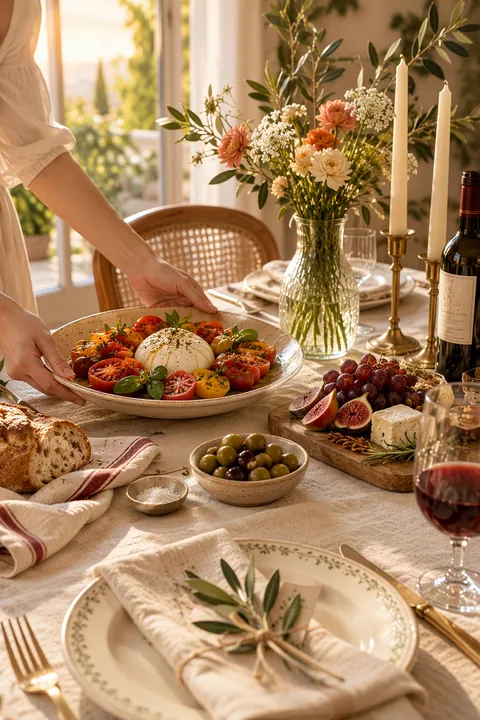
Sunday table brunches
Place cards, long tables and flowers in the window for a relaxed brunch at home.




Ideas and wording: Brunch invitation wording
Mediterranean and Riviera mornings
Coastal arches, vineyard wine pours and fruit in a blue-and-white bowl.



Brunch clubs and food lovers
An open cookbook, a chef at the pass, a minimal society card and line art for a recurring brunch club.




Ideas and wording: Brunch invitation templates
How it works
From Template to RSVP in 3 Steps
Create it in the app
Download or open the TwistInvite app, choose a brunch template and add your date, time, address and menu. Upload your own photos or video, import audio, or hold to record a short voice message.
Host · in the appShare one link
Send it by WhatsApp or SMS to friends, family or the brunch club thread.
Host · WhatsApp or SMSGuests watch and RSVP
Guests open the link in their phone or computer browser, watch the invitation and answer Going, Can’t make it or Maybe. No download, no account. You follow every reply in the app.
Guests · in the browser
Open brunch templates
Guests never need an account or the app.
Make it yours
What You Can Add to a Brunch Invitation
A brunch invitation sets the tone for the morning. Personalize it in the app before you send it.
- Your own media: upload a photo of your table, your kitchen or the spot you booked.
- Music or sound: import audio for a slow Sunday mood.
- A voice message: hold to record a quick “come hungry” from the host.
- RSVP tracking: see who answered Going, Can’t make it or Maybe, and ask for party size to plan seats and the number of eggs.
- WhatsApp or SMS sharing: one link for the whole guest list.
- 19 app languages: including Spanish.
Free to start
Send Brunch Invitations for Free
Most hosts start on the free plan. If you plan more than three events a month, Premium is available as a weekly, monthly or yearly plan.
Free plan
- Up to 3 events per month
- Free templates
- RSVP tracking
- Share by WhatsApp or SMS
Premium
- USD $2.99 per week
- USD $8.99 per month
- USD $39.99 per year
Prices shown in US dollars. The App Store sets local prices in other countries and regions.
Plan the brunch
When to send a brunch invitation and what to include
When to send it
Two to three weeks ahead is plenty for a casual brunch at home. For a birthday brunch, a bridal brunch or a restaurant booking, send it three to four weeks ahead.
What to include
The host, the date, start time (brunch usually runs from 10 or 11 am), the address, and the RSVP date. If it is at a restaurant, add the reservation name.
Food notes
Mention whether it is potluck, a set menu or a bottomless mimosa situation, and invite guests to share dietary needs in the RSVP.
Headcount
Ask for party size in the RSVP, especially for a restaurant table that has to be booked for an exact number.
Wording ideas
Brunch invitation wording you can adapt
Casual Sunday
“Coffee is on, pancakes are coming. Join us for a slow Sunday brunch at our place, 11 am.”
Birthday brunch
“Mimosas and a little birthday sparkle: celebrate Sofia’s 30th at brunch on Saturday, June 14 at 11:30.”
Garden brunch
“Bring your sunglasses. Brunch in the garden, lemonade and pastries, Saturday from 10 am.”
Brunch club
“This month’s brunch club is at Ana’s. Theme: Mediterranean. Bring one dish to share.”
More occasions
More gatherings to host
Ideas and wording
Brunch ideas and wording
FAQ
Frequently Asked Questions
How do I make a brunch invitation?
Tap Open brunch templates to open the brunch folder in the TwistInvite app, pick a design and add the date, time, address and menu. Add your own photo, video or audio if you like, then share the link by WhatsApp or SMS.
Do my guests need to download the app?
No. Only you use the TwistInvite app to create and edit the invitation. Guests open the link in their browser, watch it and RSVP Going, Can’t make it or Maybe without installing anything or making an account.
What can I collect in the RSVP?
Guests choose Going, Can’t make it or Maybe. You can also ask for each guest’s email and their party size, so you know how many people are really coming.
Are there free brunch invitations?
Yes, you can start for free. The free plan includes free templates, up to 3 events per month and RSVP tracking. Premium is USD $2.99 per week, $8.99 per month or $39.99 per year; the App Store sets local prices in other countries and regions.
What time should a brunch invitation say?
Most brunches start between 10 am and noon and last two to three hours. Write a start time and, if you need the table back, an end time.
Do these work for a birthday or bridal brunch?
Yes. Any of the designs on this page works for a birthday brunch, a bridal or baby shower brunch or a holiday brunch; you write the occasion and the details in the app.
How far ahead should I send a brunch invitation?
Two to three weeks ahead for a casual brunch, and three to four weeks for a birthday, a shower or a restaurant booking.
Can I make the invitation on my computer?
You can browse templates on this site from any device, but invitations are created and edited in the TwistInvite app. Open the app on your phone to personalize and share. Guests can open the finished invitation on a phone or a computer.
Set the table before anyone arrives.
Pick a brunch design, personalize it in the TwistInvite app and share one link your guests can open and answer.
Create and edit your invitation in the TwistInvite app. The app interface is available in 19 languages, including Spanish.