


Anniversary · years worth celebrating
Anniversary Party Invitations
Celebrate the years together with an animated anniversary party invitation: a couple under string lights, a candlelit dinner or a sketch of two people still walking side by side. Add the details in the TwistInvite app and share one link with family and friends. They watch it in their browser and RSVP Going, Can’t make it or Maybe.
Milestone parties, dinners and vow renewals
Share by WhatsApp or SMS
Guests RSVP without the app
You create the invitation in the app. Guests watch and RSVP in their browser without installing anything.
Anniversary collection
Anniversary Party Invitation Templates
TwistInvite has four templates made for anniversaries right now. Below them are romantic dinner and celebration designs that suit an anniversary dinner or a vow renewal. Press play to watch each one move, then get the app to personalize yours.
Anniversary templates
Two glasses and red roses, a couple under string lights and two pencil-sketch love stories that start on “day one”.



Ideas and wording: Anniversary party invitation wording
Anniversary dinners
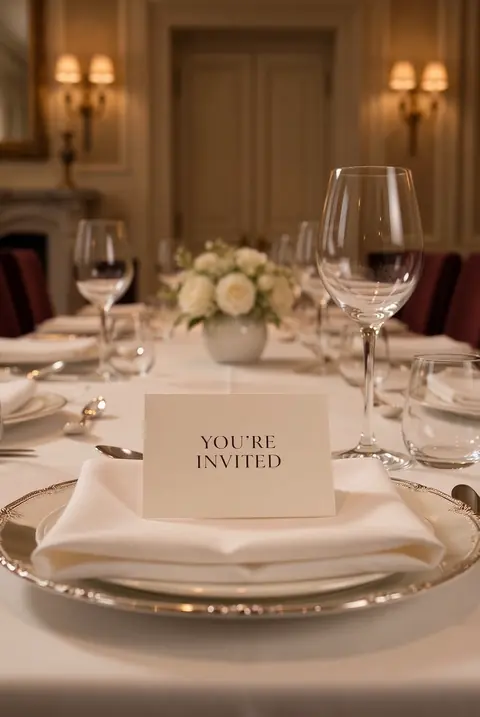
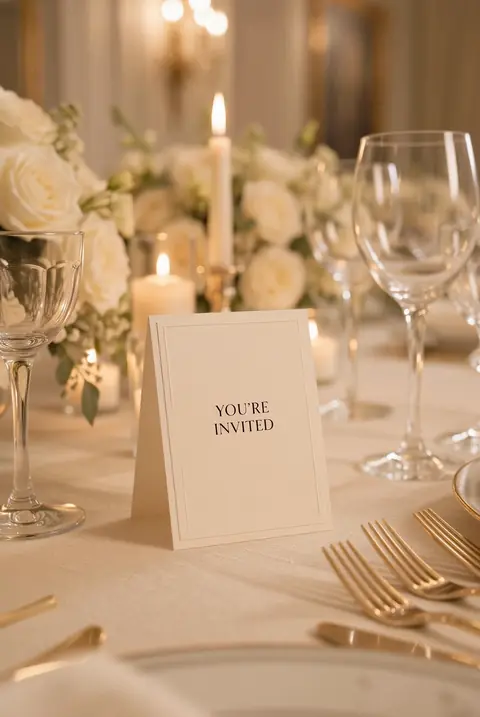
Candlelit tables, white roses and champagne for a dinner with your closest people.


Vow renewals and big milestones
A palace garden, golden hour, candlelight and a peach afterglow for a 25th, a 40th or a 50th.




Ideas and wording: 50th wedding anniversary invitations
How it works
From Template to RSVP in 3 Steps
Create it in the app
Download or open the TwistInvite app, choose a template and add the couple’s names, the date, time and place. Upload wedding photos or a video, import audio, or hold to record a short voice message.
Host · in the appShare one link
Send it by WhatsApp or SMS to the family chat, old friends and the wedding party.
Host · WhatsApp or SMSGuests watch and RSVP
Guests open the link in their phone or computer browser, watch the invitation and answer Going, Can’t make it or Maybe. No download, no account. You follow every reply in the app.
Guests · in the browser
Get the app and start
Guests never need an account or the app.
Make it yours
What You Can Add to an Anniversary Invitation
An anniversary invitation is a chance to tell the story. Add it in the app.
- Then and now: upload the wedding photo next to a recent one, or a short video from the big day.
- Your song: import audio, like the first dance song.
- A voice message: hold to record a few words from the couple, or from the kids hosting the party.
- RSVP tracking: see who answered Going, Can’t make it or Maybe, and ask for party size for the restaurant booking.
- WhatsApp or SMS sharing: one link for relatives across the country.
- 19 app languages: including Spanish, for families who celebrate in two languages.
Free to start
Send Anniversary Invitations for Free
Most hosts start on the free plan. If you plan more than three events a month, Premium is available as a weekly, monthly or yearly plan.
Free plan
- Up to 3 events per month
- Free templates
- RSVP tracking
- Share by WhatsApp or SMS
Premium
- USD $2.99 per week
- USD $8.99 per month
- USD $39.99 per year
Prices shown in US dollars. The App Store sets local prices in other countries and regions.
Plan the celebration
When to send an anniversary party invitation and what to include
When to send it
Four to six weeks ahead for a milestone party, and earlier if relatives are traveling. A small dinner needs two to three weeks.
What to include
The couple’s names, the milestone, who is hosting, the date, time, address and RSVP date. Add the dress code if it is a formal dinner.
Surprise parties
If it is a surprise, say it at the top of the invitation and ask guests to arrive before the couple.
Gifts
Many couples ask for no gifts. A simple line like “your presence is the gift” or a favorite charity keeps it gracious.
Wording ideas
Anniversary party invitation wording you can adapt
Milestone party
“Twenty-five years, two kids and one very patient dog. Join us to celebrate Mark and Ellen’s silver anniversary.”
Hosted by the kids
“Please join us in celebrating our parents’ 40th wedding anniversary with dinner and dancing.”
Vow renewal
“We said yes once and we’d say it again. Join us as we renew our vows, Saturday at sunset.”
Intimate dinner
“Ten years married. A small dinner with the people who were there from day one.”
More occasions
More celebrations
Ideas and wording
Anniversary ideas and wording
FAQ
Frequently Asked Questions
How do I make an anniversary party invitation?
Tap Get the app and start, open the TwistInvite app and choose an anniversary or romantic design. Add the couple’s names, the milestone, the date and the place, add photos or a video if you like, then share the link by WhatsApp or SMS.
How many anniversary templates are there?
TwistInvite has four templates made for anniversaries right now: Two of a Kind Celebration, Running Into Forever, Day One, Still Us and Day One, One Day. The other designs on this page are romantic dinner and celebration templates that suit an anniversary.
Do my guests need to download the app?
No. Only you use the TwistInvite app to create and edit the invitation. Guests open the link in their browser, watch it and RSVP Going, Can’t make it or Maybe without installing anything or making an account.
What can I collect in the RSVP?
Guests choose Going, Can’t make it or Maybe. You can also ask for each guest’s email and their party size, so you know how many people are really coming.
Are there free anniversary invitations?
Yes, you can start for free. The free plan includes free templates, up to 3 events per month and RSVP tracking. Premium is USD $2.99 per week, $8.99 per month or $39.99 per year; the App Store sets local prices in other countries and regions.
Can I use these for a vow renewal?
Yes. Write “vow renewal” in the details and add the ceremony and reception times; the romantic designs on this page work well for it.
How far ahead should I send an anniversary invitation?
Four to six weeks ahead for a milestone party, and two to three weeks for a small dinner.
Can I make the invitation on my computer?
You can browse templates on this site from any device, but invitations are created and edited in the TwistInvite app. Open the app on your phone to personalize and share. Guests can open the finished invitation on a phone or a computer.
Celebrate the years with something that moves.
Pick an anniversary design, personalize it in the TwistInvite app and share one link your guests can open and answer.
Create and edit your invitation in the TwistInvite app. The app interface is available in 19 languages, including Spanish.