
A digital quinceañera invitation is a link you send by text or in your family chat. Guests open it in their browser and reply Going, Can't make it or Maybe without an app or an account. It needs the same details as a printed one: the Mass, the reception, the dress code, who is invited and a reply-by date. Ready to pick a design? Browse our quinceañera video invitation templates.
This guide is about the digital format: what to put in it, how to send it to relatives in two countries, and how to collect replies. For the words themselves (religious, modern, from the parents), see our quinceañera invitation wording guide.
What to Include on a Digital Quinceañera Invitation
A quinceañera usually has two parts in two places, and many guests travel. Put these on the invitation or in the message that goes with the link:
- The quinceañera's full name, first and largest. Many families add "Mis XV años" or "My Quinceañera".
- Parents and padrinos, if you are naming them. Families often list the parents and the main padrinos; the full list of padrinos usually goes on a printed card or a separate page.
- The Mass (Misa de acción de gracias): church name, address and time.
- The reception: venue, address and start time. If there is a gap between the two, say so ("Reception to follow at 8:00 p.m.").
- Dress code. "Formal" or "Formal, no white" is enough. If the court has a color, you can ask guests to avoid it.
- Who the invitation covers. Name the family or the guests, or say how many seats are saved for them. This is the line that prevents surprise extra guests.
- Reply-by date, and a reminder that guests can answer from the link.
- Practical notes: parking, a hotel block for out-of-town guests, gift preferences ("lluvia de sobres" or a gift table).
Digital, Printed or Both?
Most families now send the main invitation digitally and keep a few printed ones. A mixed plan works well:
| Guests | What to send | Why |
|---|---|---|
| Padrinos, abuelos, godparents | A printed invitation delivered in person, plus the link | Delivering it by hand is part of the tradition. The link gives them the map and the reply button. |
| Relatives in Mexico or another country | The link by text or in the family chat | No postage and no delay; they open it in any phone browser. |
| Friends from school | The link, in a personal message | Teenagers answer a link faster than a card. Ask a parent to confirm for younger guests. |
| Parents' coworkers and neighbors | The link, by text | Quick to send and easy to track. |
If you print a few, use the same design and the same reply-by date so nobody gets mixed information.
Ideas for the Video Part
The difference between a digital invitation and a photo of a card is that it can move and speak. In the TwistInvite App you can do four things that work especially well for a quinceañera:
- Record a message from the quinceañera. Hold to record a 15-second voice message: "Hi, it's Valeria. On March 13 I'm turning fifteen and I want you there." Relatives who haven't seen her in years love this part.
- Add clips from the photo session. Upload your own photos or short videos from the pre-quince shoot, in the dress, at the church or in the park.
- Import the song. Import an audio track, such as the father-daughter waltz song or the surprise dance song, so the invitation already sounds like the party.
- Let the abuelos speak. A 15-second message from a grandparent in Spanish ("Los esperamos con mucho cariño") makes the invitation feel like it comes from the whole family.
Keep the spoken message short and the written details complete: the video sets the mood, and the details get people to the right church on time. For the basics of putting one together, see how to make a video invitation.
Video Templates That Suit a Quinceañera
TwistInvite doesn't have a quinceañera-only collection yet. These four fantasy palace designs fit the "princess for a day" style many quinceañeras choose. All four have English lettering or no lettering at all, so for a Spanish-speaking family put the Spanish wording in your message and your video.
Crystal Dream Palace: blue and lilac crystal
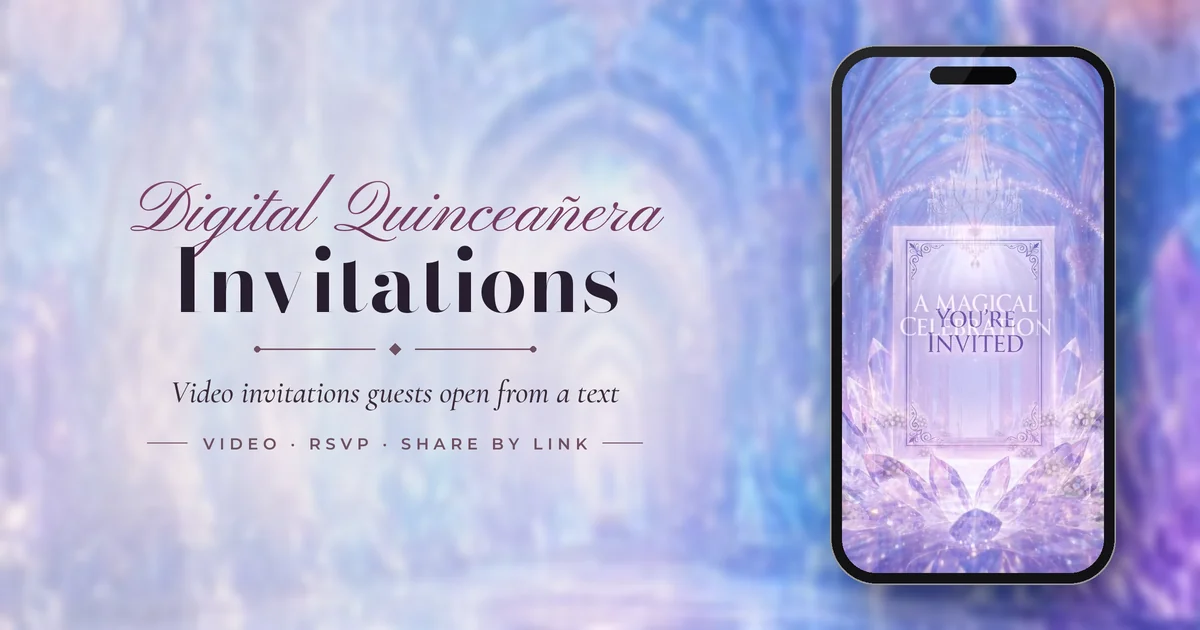
Best for a blue, lilac or silver theme. It travels down a glowing crystal hall to a framed "You're invited" card and ends on "A magical celebration" and "With love". Good for a Cinderella-style or winter quinceañera.
Blossom Astral Palace: blush and cherry blossom
Best for a pink or rose-gold theme. It opens on a cherry-blossom garden and moves through a pink ballroom with chandeliers into a white palace library. It has no lettering, which makes it easy to pair with Spanish text.
Rosecloud Palace: pastel pink in the clouds
Best for a soft, dreamy look. A rose-covered staircase and pool float above pink clouds. It is gentler than the ballroom designs and suits a daytime reception or a garden venue.
Celestial Rose Citadel: cream, roses and a sunset castle
Best for a classic princess theme in cream and gold. Rose-covered arches lead to a courtyard and a castle tower above the clouds at sunset.
Choosing by color? Our guide to quinceañera invitation themes and colors matches designs to emerald, lilac, blush and blue palettes.
What to Write in the Message With the Link
The link arrives inside a text or a chat message, so that message is the first thing guests read. Put the essentials there and the full program in the invitation.
To family
Querida familia: with God's blessing and great joy, we invite you to Valeria's quinceañera on Saturday, March 13. Mass at 5:00 p.m., reception to follow. Everything is in the invitation. Please reply by February 20: [link]
Tía Rosa, we saved two seats for you and Tío Beto at Valeria's XV on March 13. The invitation has the church, the hall and the map. Can you tap your answer by February 20? [link]
To friends from school
I'm turning 15!! My quince is Saturday, March 13, at Salón Jardín Real, 8 p.m. Dress up. Tell me if you're coming by Feb 20 👉 [link]
Hi! This is Valeria's mom. Valeria would love for Sofía to come to her quinceañera on March 13. Details and RSVP are in the link. Please reply by February 20: [link]
Bilingual, for a mixed group
Con mucho cariño te invitamos a los XV años de Valeria. / We'd love to celebrate Valeria's quinceañera with you.
Sábado 13 de marzo · Saturday, March 13
Misa 5:00 p. m. · Recepción 8:00 p. m.
Confirma antes del 20 de febrero · Please reply by February 20: [link]
A 15-second video script for the quinceañera
"Hola, soy Valeria. Hi everyone! On March 13 I turn fifteen, and my family and I would love for you to be there. Everything you need is in the invitation. Please tell us you're coming. ¡Los espero!"
How to Send It and Collect Replies
- Pick a template in the TwistInvite App. Invitations are created and edited in the App on your phone.
- Add your event details and your own media: photos or clips from the photo session, an imported song, and a hold-to-record message from the quinceañera.
- Share the link by text message (SMS), or paste it into the family chat or any messaging app your relatives use. Use one of the messages above.
- Guests open it in their browser and answer Going, Can't make it or Maybe. They don't need the App or an account, which matters for abuelos and relatives abroad. You follow the replies in the App.
Tip for families: ask each household to reply once, and say in your message how many seats you've saved for them. For guests who answer Maybe, a personal call a week before your deadline usually settles it.
The free plan covers 3 events a month and includes free templates, RSVP tracking and 15-second video messages. Premium is $2.99 a week, $8.99 a month or $39.99 a year (USD; the App Store sets local prices). The App itself is available in 19 languages, including Spanish. For how the reply side works, see online invitations with RSVP. Open the TwistInvite App to start your quinceañera invitation.
When to Send a Digital Quinceañera Invitation
| Step | When | Notes |
|---|---|---|
| Save the date | 4 to 6 months before | Most important for relatives who need flights or time off. |
| Printed invitations to padrinos and abuelos | 8 to 10 weeks before | Deliver in person if you can. |
| Digital invitation to everyone | 6 to 8 weeks before | 8 weeks if many guests travel. |
| Reply-by date | 3 to 4 weeks before | Work back from the hall's deadline for final numbers. |
| Your follow-up message | About a week before the reply date | Send it yourself to anyone who hasn't answered. |
Common Mistakes With Digital Quinceañera Invitations
- Leaving the church out of the link. Guests who skip the Mass still need to know when the reception actually starts.
- Forwarding without names. A link passed around a group chat with no names invites the whole chat. Send it person by person, or say who it covers.
- Only sending it digitally to padrinos. Many families still expect a personal visit or call from the parents.
- A long video message. Fifteen seconds is plenty; the details belong in writing.
- Two different reply dates on the printed card and the digital invitation.
Frequently Asked Questions
Is it OK to send quinceañera invitations digitally?
Yes. Most families now send the main invitation as a link and still deliver a few printed invitations in person to padrinos and grandparents, who often expect that gesture.
Can I send a quinceañera invitation through WhatsApp?
You can paste the invitation link into WhatsApp or any messaging app, or send it by text message. Guests tap the link and open the invitation in their phone's browser.
Do my relatives need to download an app to reply?
No. Only the host uses the TwistInvite App. Guests open the invitation in a browser and answer Going, Can't make it or Maybe without downloading anything or creating an account.
How far ahead should I send a digital quinceañera invitation?
Send it six to eight weeks before the party, with a save the date four to six months ahead if relatives need to travel. Ask for replies three to four weeks before the date.
Can the invitation include a video of the quinceañera?
Yes. In the App you can upload your own photos and video clips, import a song and hold to record a 15-second voice message, for example the quinceañera inviting guests herself.
Should the invitation be in English or Spanish?
Use the language your guests read most comfortably. Many families write the message in both. The designs shown here have English lettering or none, so the Spanish goes in your message and video.
Create it in the TwistInvite app
Download free on iPhone or Android, then share one link with your guests.