
Baby shower invitation templates give you a finished visual structure so you can focus on names, date, and tone instead of designing from zero. A good template already balances art and readable type; your job is to customize it until it sounds like your celebration and looks right on a phone.
This guide covers how to select a template, what to customize first, and how digital templates handle RSVP and sharing. For mood boards and theme inspiration, use baby shower invitation ideas. For the overall planning hub, see baby shower invitation ideas and wording.
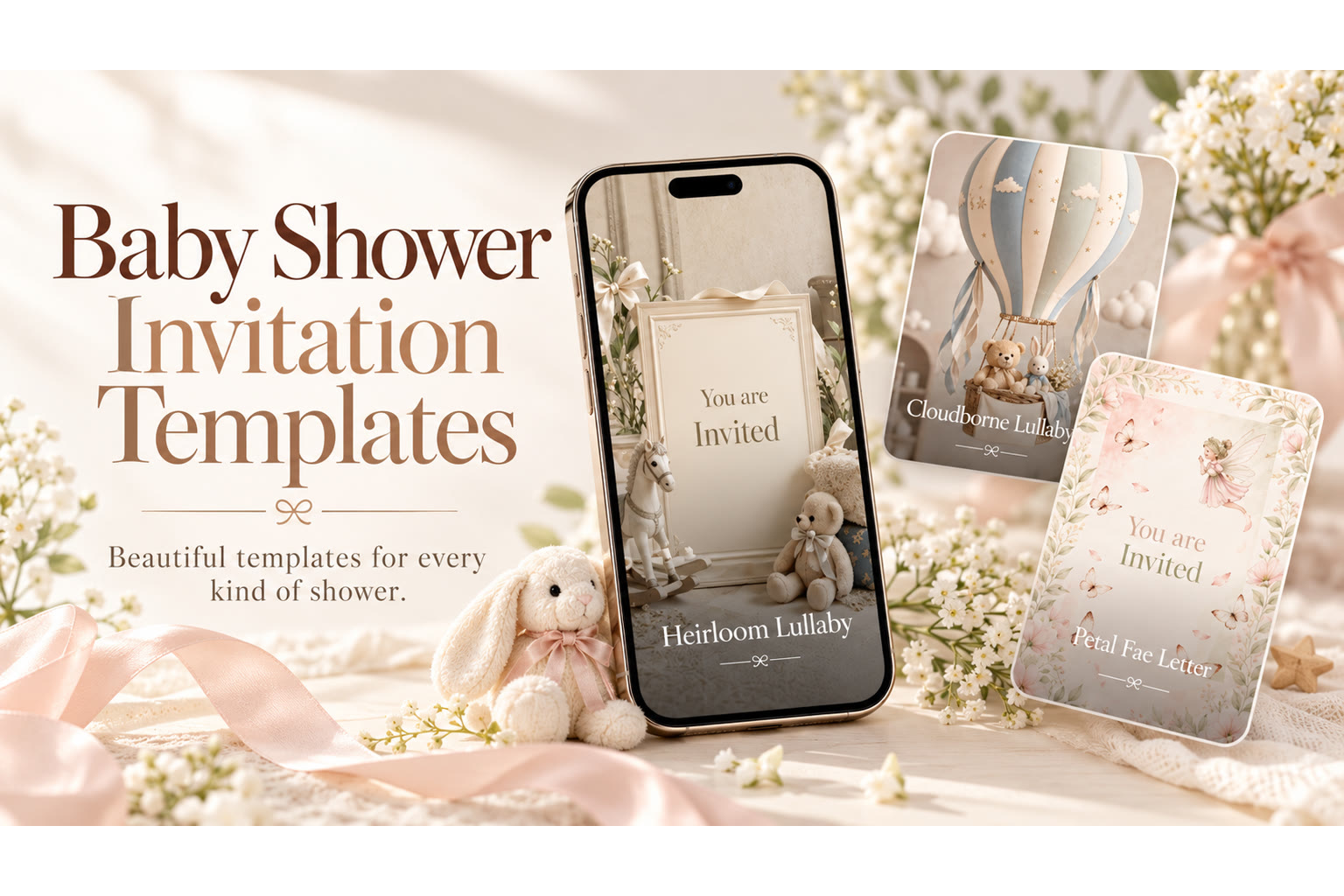
What Makes a Template Worth Using
Look for three things:
- Clear hierarchy — parent names and date readable at a glance on mobile.
- Editable fields that match real shower logistics (host, venue, RSVP).
- A mood that matches the event — woodland for a forest nursery shower, not a fairy template forced onto a backyard barbecue.
A pretty template with tiny white type on a busy illustration will frustrate guests. Zoom the preview on your phone before you commit.
Matching Templates to Shower Types
Classic shower templates — soft florals, gentle pastels, or modern neutrals with space for registry notes. Coed templates — welcoming imagery that doesn’t read as women-only tea; clearer “you’re invited” energy. Sprinkle templates — lighter, smaller-party feel; avoid “first baby extravaganza” scale. Theme templates — woodland, teddy, bunny, fairy, fall, tea party, bloom—choose the motif parents already love. Brunch-timed showers — morning light and table softness; see also baby shower brunch invitations.
If you’re still deciding girl, boy, or neutral styling, lock the parents’ preference before you customize pink or blue accents.
Customization Order That Saves Time
- Names and title — “Baby shower for [Name(s)]” or “A little one is on the way.”
- Date, time, place — spell the street; include suite or backyard notes.
- Host line — who is inviting.
- RSVP deadline and method — especially useful on digital templates.
- Registry, dress, kids policy — only if needed.
- Photo or short video — optional warmth after logistics are correct.
Write logistics in plain language first. Then soften with one sentence. Copy-ready lines live on baby shower invitation wording.
Digital Templates and RSVP
Digital baby shower invitation templates are built for phones: share by text or link, update a detail without reprinting, and collect Going / Can’t make it / Maybe replies in one place. Guests should open and RSVP without creating an account. That flow is the core of digital baby shower invitations.
If you add motion, keep the video short and personal—your own media, imported audio, or hold-to-record where available—so the template still shows the essentials when the clip ends.
Featured TwistInvite DesignWe Can Barely Wait Baby ShowerA versatile baby shower invitation template direction—clear space for names, date, and RSVP, with a celebratory look hosts can customize quickly.Explore InvitationsPhoto, Color, and Typography Tweaks
Swap in a parent photo only when faces stay recognizable at thumbnail size. Recolor accents to match napkins or flowers you already bought—don’t invent a second palette. Typography tweaks: names can be decorative; date, time, and address should stay high-contrast sans or simple serif.
Order of operations: fix contrast → fix hierarchy → then play with flourishes. A beautiful script font that hides the suite number is not customization; it’s a readability bug.
Free vs. Premium Expectations (Product-Honest)
TwistInvite’s free tier is $0 with up to 3 events per month and short video messages (about 15 seconds)—enough to send a polished shower invite with RSVP. Guests open and reply Going / Can’t make it / Maybe without creating an account. You can use your own media, import audio, and hold-to-record where available.
Do not expect a stock music library, a full browser design studio, unlimited free events, or registry checkout inside the invite product. Templates are starting points you customize; treat the library as inspiration, not a promise of a unique SKU URL for every theme name.
From Template to Sent Invite
- Shortlist two templates that match venue and theme.
- Customize logistics; proof names and addresses aloud.
- Add RSVP deadline with enough lead time—see when to send baby shower invitations.
- Preview on mobile; fix contrast issues.
- Share the link; keep registry and parking notes easy to find.
Explore sendable baby shower designs with RSVP, or browse every occasion in the video invitation maker. Templates are a starting point—your details make them the invitation guests actually need.
Template Selection Checklist
- Does the layout leave a clear block for date, time, and address on a phone?
- Can you place RSVP without covering the motif?
- Does the mood match classic, coed, sprinkle, or themed—without forcing pink/blue defaults you don’t want?
- Is there room for one photo or short video without crowding logistics?
- Would a guest mute-video still understand the invite?
If three answers are “no,” pick another template before you customize for an hour.
Customization Mistakes That Waste an Evening
- Recoloring every accent before locking the address text
- Stacking woodland + fairy + bloom motifs on one card
- Using low-contrast script for the start time
- Writing poetry before confirming the venue spelling
- Building three parallel versions in different chats
Customize in this order: logistics → RSVP → one warmth line → art direction polish. Stop when the phone preview is clear.
When to Start From a Theme Template vs. a Neutral One
Start from a theme template when woodland, teddy, fairy, or fall is already decided and the art matches your venue. Start from a neutral or soft-minimal template when parents are still deciding colors, when the shower is coed/professional, or when you want photo-led warmth without a mascot.
You can always add a light theme accent later. It is harder to delete five animals after you’ve fallen in love with clutter.
Sharing Templates With Co-Hosts
Share one working link, not three competing drafts. Agree who owns final send. If a co-host only needs to approve tone, send a screenshot of the phone preview plus the logistics block in plain text so feedback stays about content, not button hunting.
Comparing Template Moods Side by Side
Open two candidates on your phone at the same time if you can. Check which one shows the date larger. Check which one still looks like the parents after you imagine their names in the title field. Check whether the RSVP line competes with decorative flourishes.
Hosts often fall in love with a desktop-sized preview, then discover mobile crops cut off the venue. Zoom and scroll as a guest would. If you must pinch to read the street name, choose another template.
Fields Worth Customizing Beyond Names
Host line, rain plan, parking, kids policy, and a single warm sentence change how thoughtful the invite feels. Templates that only swap a name leave gatherings feeling generic. Spend five extra minutes on the sentences guests actually need.
If your shower is a sprinkle or coed event, change the event label field—don’t leave “baby shower” if you’ve decided on different language. Guests take labels literally when planning gifts and partners.
Quality Bar Before You Hit Send
Phone preview at arm’s length: can you read the time without squinting? Registry opens on cellular? Names spelled as parents spell them? RSVP deadline still realistic? One featured design direction—not a collage of every idea you liked this week?
When those pass, send. More polishing rarely improves attendance.
Create it in the TwistInvite app
Download free on iPhone or Android, then share one link with your guests.